




















| Brand | Plugable |
|---|---|
| Manufacturer | Plugable |
| Place of Business | Redmond, WA 98052,US |
| Model | UD-3900PDZ |
| Model Name | UD-3900PDZ |
| Part Number | UD-3900PDZ |
| Hardware interface | USB Type C |
| Compatible Devices | Laptops |
| Number of Items | 1 |
| Wattage | 100.0 |
| Batteries included | No |
| Batteries Required | No |
| Number of Ports | 9 |
| Total USB Ports | 6 |
| Does it contain liquid? | No |
| Manufacturer | Plugable |
| Item model number | UD-3900PDZ |
| Product Dimensions | 20 x 9 x 3 cm; 332 g |
| ASIN | B08DDH5CPW |

-
-
-
-
-
-
-
2 VIDEOS -
Image Unavailable
Colour:
-
-
-
- To view this video, download
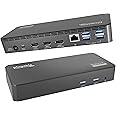
Plugable USB C Triple Display Docking Station with Laptop Charging, for Thunderbolt, USB4, or USB C Systems, Compatible with Windows, macOS, ChromeOS laptops (3x HDMI, 6x USB 5Gbps Ports, 100W USB PD)
Purchase options and add-ons
| Brand | Plugable |
| Colour | Black |
| Hardware interface | USB Type C |
| Compatible devices | Laptops |
| Total USB ports | 6 |
| Product Dimensions | 20L x 3W x 9H Centimetres |
| Number of ports | 9 |
| Item weight | 332 Grams |
| Total HDMI ports | 3 |
| Wattage | 100.0 |
About this item
- 12-in-1 Expansion - With a compatible USB-C, USB4 or Thunderbolt laptop running Windows, macOS, or ChromeOS, this laptop docking station can charge your device, connect up to 3 HDMI monitors while providing Gigabit Ethernet, 3.5mm combo audio jack, and 6x USB 3.0 ports
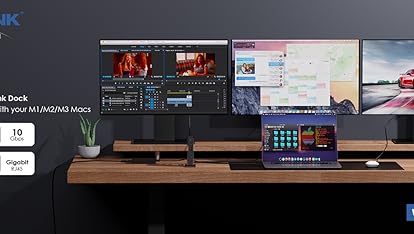
- Triple Display Docking Station - This USB C docking station features 3 HDMI video outputs including 1x HDMI output capable of 4K 30Hz, and 2x HDMI outputs capable of 1080p 60Hz using DisplayLink USB Graphics Technology. Supports 3 extended displays even on systems that would otherwise support 1, like Apple M1, M2, M3, and M4 systems
- USB-C Features - Along with DisplayLink graphics technology, this triple monitor docking station supports native USB-C video path ("Alt Mode”) for an external display at the full native performance of your system's graphics processor, and USB-C Power Delivery to charge the connected system
- Compatibility - Compatible with USB Type-C, USB4, and Thunderbolt Macs (macOS 11 and newer, with driver installation), Windows , ChromeOS 100 and newer, and other laptops which support USB-C Alt Mode and Power Delivery. Not supported with Linux. HDCP is not supported.
- 2-Year Coverage, Lifetime Support - Every Plugable product, including this USB C docking station, is covered against defects for 2 years and comes with lifetime support. If you ever have questions, contact our North American-based team - even before purchase
Frequently bought together

Product information
Technical Details
Additional Information
| Date First Available | July 20 2020 |
|---|---|
| Customer Reviews |
4.2 out of 5 stars |
| 鶹 Rank |
|
| Is discontinued by manufacturer | No |
Feedback
Videos for similar products
From the brand

-
Universally Compatible Docks
-
-
Find Your Docking Station
-
Windows Compatible Docks
-
Mac Compatible Docks
-
-
Product Description
Tech Specs
| USB-C To Host | USB 5Gbps Type-C, DisplayPort Alternate Mode 1.2, USB Power Delivery |
| HDMI 1 | Up to 4K UHD (3840x2160) at 30Hz refresh rate, lower resolutions up to 60Hz refresh rate |
| HDMI 2 & HDMI 3 | Up to 1080P (1920x1080) at 60Hz refresh rate with DisplayLink USB graphics technology |
| 6x USB 5Gbps | USB Standard-A 5Gbps ports |
| 1x 3.5mm Audio | TRRS Headset port, supports stereo audio and mono microphone, or stereo speakers/headphones |
-
Do I need to install software in order to use the device?
Yes, DisplayLink software is required for the UD-3900PDZ for full functionality. Manual installation is required for macOS, Windows installation is typically automatic. We recommend installing the latest DisplayLink software for the best performance.
-
When installing DisplayLink software on my Mac, why is it necessary to grant ‘Screen Recording’ permission?
macOS requires "Screen Recording" for the DisplayLink driver to work properly. Approving it enables the driver to send data over USB from your computer to the DisplayLink-powered display. No data, images, or pixels are being stored or recorded.
-
Does this dock allow for three displays even on base Apple M-Series Macs?
Yes. Enabled by DisplayLink technology, UD-3900PDZ can connect three displays even if the computer supports only one display output on its own. DisplayLink Manager installation required on Mac.
-
Which USB-C port on the dock can be used to connect my computer?
The USB-C port on the rear of the dock is dedicated for connecting your laptop. The front port is a hub port only, so it doesn’t work to connect a computer to the dock.
-
Why aren’t all three displays connecting to my dock?
Please confirm your laptop’s USB-C port supports video output (Alt mode), that the docking station is connected to the computer with the USB-C data cable provided with this dock, and that you have the DisplayLink driver/software installed.
Plugable Docking Station's
UD-3900PDZ
Add to Cart
| UD-ULTCDL
Add to Cart
| UD-ULTC4K
Add to Cart
| UD-6950PDZ
Add to Cart
| |
|---|---|---|---|---|
|
Customer Reviews
|
4.2 out of 5 stars 961
|
4.3 out of 5 stars 1,445
|
4.3 out of 5 stars 1,666
|
4.0 out of 5 stars 614
|
|
# of Displays
| 3 | 3 | 3 | 3 |
|
Video Ports
| 1x HDMI 1.4, 2x HDMI 1.3 | 1x HDMI 1.4, 2x HDMI 1.3 | 3x HDMI 2.0 or DisplayPort 1.2 | 3x HDMI 1.4,3x DisplayPort 1.2 |
|
Max Resolutions Supported
| 1x 4K 30Hz, 2x 1920x1200 60Hz | 1x 4K 30Hz, 2x 1920x1200 60Hz | 3x 4K 60Hz | 3x 4K 60Hz |
|
USB 3.0 Ports
| 2x Front, 4x Rear | 4x Rear | 4x Rear | 2x Front, 4x Rear |
|
Downstream USB Type-C Ports
| — | 1x Front | 1x Front | — |
|
Laptop Charging
| Yes - 100W | Yes - 100W (96W Certified) | Yes - 100W (96W Certified) | Yes - 100W |
|
Laptop Connection
| USB4, Thunderbolt 4 / 3, USB-C | USB4, Thunderbolt 4 / 3, USB-C | USB4, Thunderbolt 4 / 3, USB-C | USB4, Thunderbolt 4 / 3, USB-C |