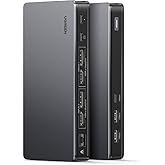
Plugable Thunderbolt 4 Dock for Quad Monitors 100W, Thunderbolt Docking Station Connects up to Four 4K Monitors for Windows and Mac Laptops, 2x HDMI, 4x Thunderbolt 4/USB C, Driver Required TBT-6950PD
Purchase options and add-ons
| Brand | Plugable |
| Colour | Space Grey |
| Hardware interface | Ethernet, HDMI, Thunderbolt, USB 3.0 Type A, USB Docking Station |
| Compatible devices | MacBook Pro 13" / 14" / 15" / 16" M1 Pro/Max, M2 Pro/Max, M3 Pro/Max, base M4, M4 Pro/Max, MacBook Air, MacBook Retina, MacBook M1 / M2 / M3, HP Spectre x360 / Pavilion / Envy, Dell XPS / Precision / Latitude, Lenovo ThinkPad / IdeaPad / Yoga / Flex, Surface Pro 7 / 7+ / 8 / 9, Surface Laptop 3 / 4 / 5 / Go / Go 2 / Studio / SE, Surface Go / Go 2 / Go 3, LG Gram, Acer Aspire / Swift / Spin, ASUS Zenbook / Vivobook, and Most Windows systems with Windows 10 or newer / Most Chromebooks running ChromeOS 100 or newer See more |
| Total USB ports | 6 |
| Product Dimensions | 21.4L x 9.5W x 1.8H Centimetres |
| Number of ports | 13 |
| Total HDMI ports | 2 |
| Wattage | 96 |
| UPC | 819927013433 |
About this item
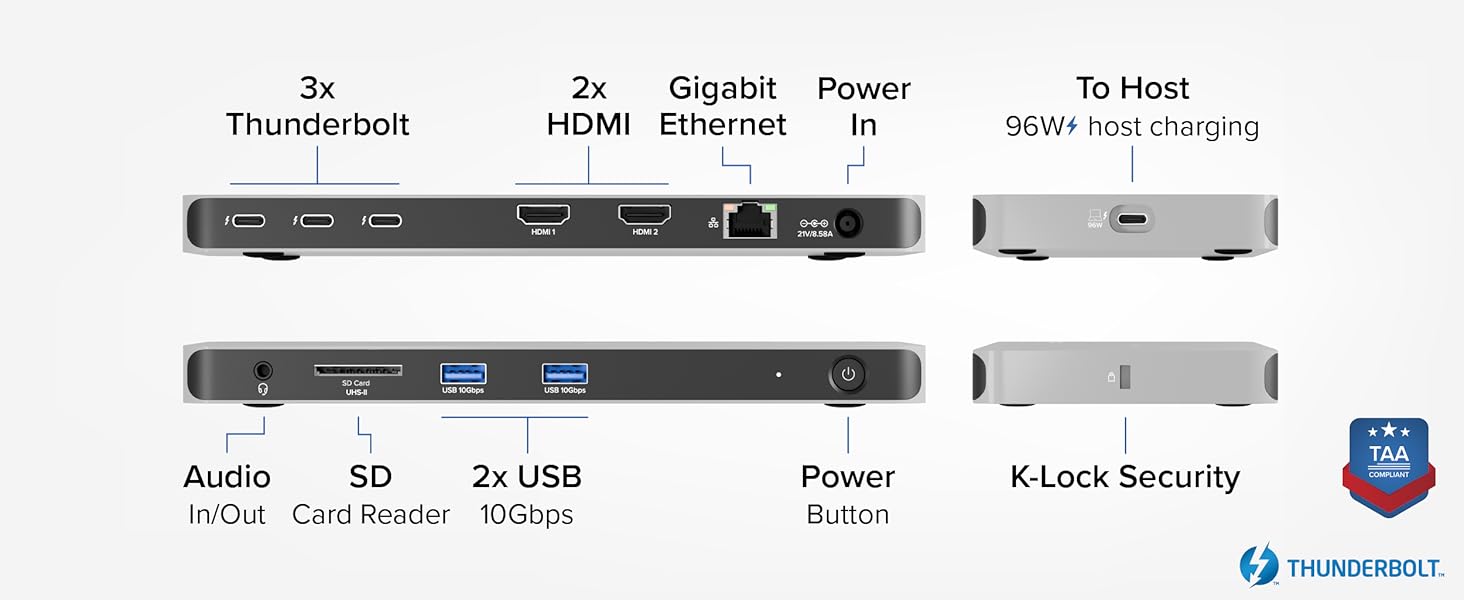
- Why Choose This Dock: The Plugable Quad Display Dock is a productivity powerhouse with up to 4 displays on PC and Mac, 100W (96W certified) host charging, 4x 40Gbps Thunderbolt ports, as well as high-speed USB ports, HDMI, Gigabit Ethernet, an SD Card slot, and more
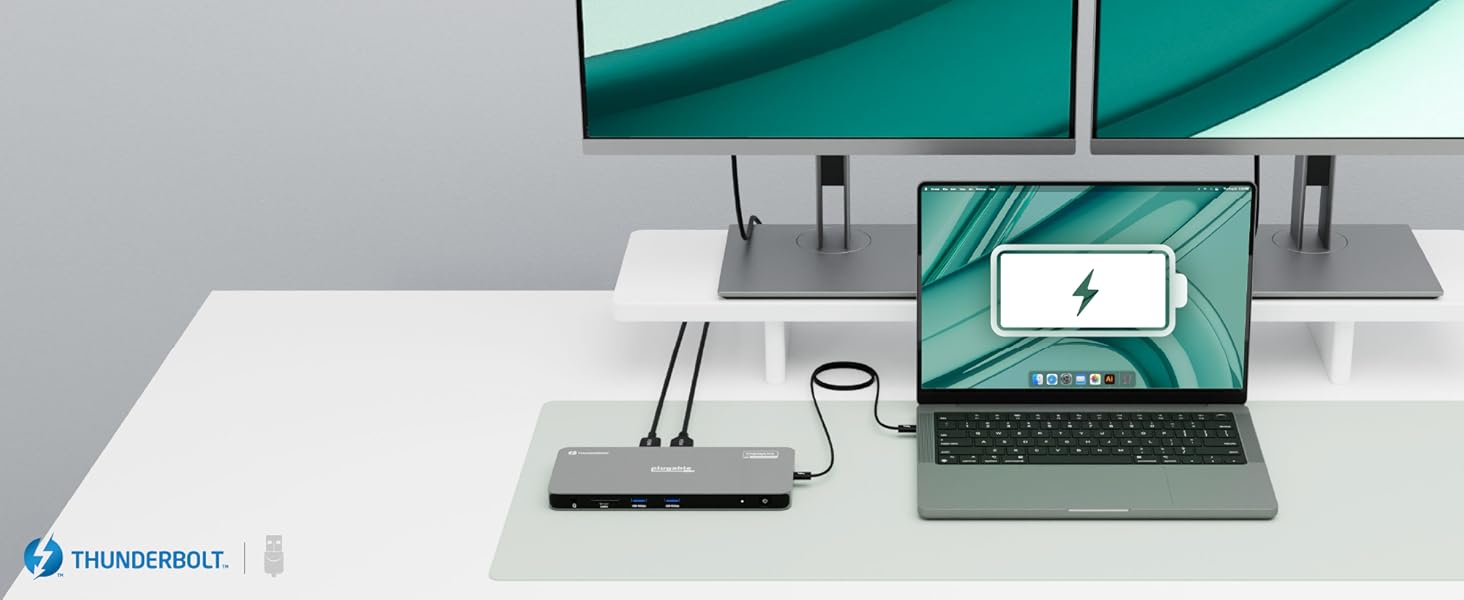
- Quad Display: Featuring the power of Thunderbolt and the flexibility of DisplayLink technology, connect up to 4 displays (2x HDMI, 2x Thunderbolt). All four displays up to 4K or a single 8K display (Thunderbolt/USB-C display output capabilities determined by the host system). Note: The DisplayLink software application must be installed on a Windows or Mac computer for the dock’s HDMI video outputs to function. This process is typically automatic on Windows, manual install required on macOS.
- Thunderbolt 4 Dock: This Plugable docking station features 1x 40Gbps Thunderbolt port that connects the dock to your computer and offers up to 96W laptop charging, and 3x 40Gbps Thunderbolt ports for data, video, and 15W charging for your connected Thunderbolt, USB4, and USB-C devices
- Works With: This certified Thunderbolt dock works with Windows 10 and newer, macOS 11+, and ChromeOS 100+ computers with a Thunderbolt, USB4, or full-featured USB-C port. Most Thunderbolt 4 Windows, and Mac computers will support up to 4x extended displays (Base model M3 Macs need to be in “clamshell mode” for 4x displays). ChromeOS and base model M1, M2 Macs will support 3x extended displays
- Lifetime Support: Every Plugable product, including this Thunderbolt docking station, comes with lifetime support. If you ever have questions, contact our North American-based team - even before purchase
Check Compatibility
Explore more items
UGREEN Revodok Pro 209 USB C Docking Station, 9-in-1 DisplayLink Dual 4K@60hz Triple Extended Modes for MacBook, 2 DP & 2 HDMI Ports, 10Gbps USB C & USB-A Data, 100W PD, Ethernet for macOS, Windows10% offLimited-time dealFREE Shipping by 鶹Get it by Sunday, Mar 8Sustainability features for this productSustainability features
This product has sustainability features recognized by trusted certifications.Carbon emissions from the lifecycle of this product were measured, reduced and offset.As certified by
The ClimatePartner certified product label confirms that a product meets the requirements for the five steps in climate action including calculating carbon footprints, setting reduction targets, implementing reductions, financing climate projects and communicating transparently to continuously reducing emissions.SNGUTF
Dell KM7321W Premier Multi-Device Wireless Keyboard & Mouse - Titan GrayFREE Shipping by 鶹Get it by Sunday, Mar 8

OWC 11-Port Thunderbolt Dock, 96W Charging, Single 8K Display or Dual 5K displays, 3 x Thunderbolt, 4 x USB, GbE, SD, Compatbile M1/M2 Macs, Thunderbolt 3 Macs, Thunderbolt 4 PCs, and USB-C DevicesFREE Shipping by 鶹Get it by Sunday, Mar 8Only 7 left in stock.
From the brand
-
-
-
Find Your Docking Station
-
Shop for Mac
-
Shop for Windows
-
Shop Universal Compatability
-
Product Description
-
-
DisplayLink
Thunderbolt
The power of a Thunderbolt Certified dock with the universal compatibility of DisplayLink
-
Powerful
Charging
Keep your laptop fully powered with up to 100W (96W certified) host charging.
-
Full Speed
Data
40Gbps Thunderbolt connection to the host and three downstream Thunderbolt 4 ports for fast data
-
Charge it all
At the Same Time
With 96W laptop charging and three 15W Thunderbolt ports, your gadgets are good to go
How to Install Driver on macOS
Note - macOS requires ‘Screen Recording’ permission for the DisplayLink software to work. Granting this permission enables sending data from your computer over USB to the HDMI outputs. No data, images, or pixels are being stored or recorded.
-
-
Up to
Four Displays
Connect up to four displays on Windows computers through two HDMI ports and Two Thunderbolt Ports
-
Up to
Four Displays
2x HDMI, 2x Thunderbolt for four displays on Pro/Max Macs (4x on Base M3 Macs in clamshell mode)
-
Tech Specs
| Quad Display Support | Up to four 4K 60Hz displays via a combination of HDMI and USB-C connections. Thunderbolt 4 ports provide a true plug-and-play experience with no drivers needed, while HDMI ports use DisplayLink technology and require drivers for Windows and macOS |
| Powerful host charging | Provides up to 96W of power to charge the host computer |
| Downstream Thunderbolt port | Three downstream Thunderbolt ports provide up to 40Gbps of bandwidth for peripherals |
| Media Card Reader | Full size SD card reader means that no external adapters or dongles are required |
| Broad compatibility | Hybrid docking station combining the power of the Intel Goshen Ridge chipset and the DisplayLink DL-6950 chipset |
-
Will this docking station work with my computer?
A computer that has a Thunderbolt 4 port or USB4 port that is running Windows 10 or later or macOS 11 or later should be compatible with the Plugable TBT-6950PD docking station. Computers that do not meet these requirements are not supported.
-
Do I need to install software or drivers in order to use the TBT-6950PD docking station?
Yes, a DisplayLink software application must be installed on a Windows or Mac computer in order for the dock’s HDMI video outputs to function. This process is typically automatic on Windows, but must be manually installed on macOS.
-
Is this docking station compatible with M1 / M2 / M3 /M4 Mac laptops?
Mac laptops with ‘base’ M1, M2, or M3 processors will only support up to three external displays. Macs with M1 Pro, M1 Max, M2 Pro, M2 Max, M3 Pro, M3 Max, 'base' M4, M4 Pro, and M4 Max processors will support up to four external displays.
-
What types of technologies are used to allow this dock to use up to four displays, and are my monitors compatible?
The TBT-6950PD combines Intel Goshen Ridge and DisplayLink technology to drive up to four displays at 3840x2160 @ 60Hz. Displays with HDMI or USB-C video inputs are supported, and if needed USB-C video adapters can be purchased separately.
-
Does the surface of the TBT-6950PD become warm during normal operation?
The dock’s aluminum enclosure is designed to act as a heatsink in order to dissipate heat generated inside of the unit. This is normal, and the device has been 3rd-party tested to the UL 62368-1 standard for safe operation and temperatures.
Compare Plugable Docking Station's
TBT-6950PD
Add to Cart
| TBT4-UD5
Add to Cart
| TBT4-UDZ
Add to Cart
| TBT4-UDX1
Add to Cart
| |
|---|---|---|---|---|
|
Customer Reviews
|
4.1 out of 5 stars 134
|
4.2 out of 5 stars 423
|
4.0 out of 5 stars 443
|
4.2 out of 5 stars 141
|
|
Laptop Compatibility
| USB4, Thunderbolt, USB-C | USB4, Thunderbolt 4 | USB4, Thunderbolt 4 | USB4, Thunderbolt 4 |
|
Laptop Charging
| 100W (96W Certified) | 100W (96W Certified) | 100W (98W Certified) | 100W (96W Certified) |
|
Downstream Thunderbolt Ports
| 3 | 1 | N/A | 2 |
|
# of Ports
| 11 | 13 | 16 | 11 |
|
Ethernet
| 1.0 Gigabit | 1.0 Gigabit | 2.5 Gigabit | 2.5 Gigabit |
|
Media Card Reader
| Full-size SD | Full-size SD and microSD | Full-size SD and microSD | Full-size SD |
Product details
- Product Dimensions : 21.39 x 9.5 x 1.83 cm; 1.25 kg
- Manufacturer : Plugable
- ASIN : B0D6X91JS2
- Item model number : TBT-6950PD
- Country/Region of origin : Thailand
- Customer Reviews:
Product information
Technical Details
| Brand | Plugable |
|---|---|
| Manufacturer | Plugable |
| Place of Business | Redmond, WA 98052,US |
| Model | TBT-6950PD |
| Part Number | TBT-6950PD |
| Hardware interface | Ethernet, HDMI, Thunderbolt, USB 3.0 Type A, USB Docking Station |
| Compatible Devices | MacBook Pro 13" / 14" / 15" / 16" M1 Pro/Max, M2 Pro/Max, M3 Pro/Max, base M4, M4 Pro/Max, MacBook Air, MacBook Retina, MacBook M1 / M2 / M3, HP Spectre x360 / Pavilion / Envy, Dell XPS / Precision / Latitude, Lenovo ThinkPad / IdeaPad / Yoga / Flex, Surface Pro 7 / 7+ / 8 / 9, Surface Laptop 3 / 4 / 5 / Go / Go 2 / Studio / SE, Surface Go / Go 2 / Go 3, LG Gram, Acer Aspire / Swift / Spin, ASUS Zenbook / Vivobook, and Most Windows systems with Windows 10 or newer / Most Chromebooks running ChromeOS 100 or newer |
| Number of Items | 1 |
| Wattage | 96 |
| Batteries included | No |
| Batteries Required | No |
| Number of Ports | 13 |
| Total USB Ports | 6 |
| Does it contain liquid? | No |
| Includes rechargable battery | No |
| Manufacturer | Plugable |
| Item model number | TBT-6950PD |
| Product Dimensions | 21.39 x 9.5 x 1.83 cm; 1.25 kg |
| ASIN | B0D6X91JS2 |
Additional Information
| Date First Available | June 12 2024 |
|---|---|
| Customer Reviews |
4.1 out of 5 stars |
| 鶹 Rank |