



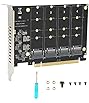


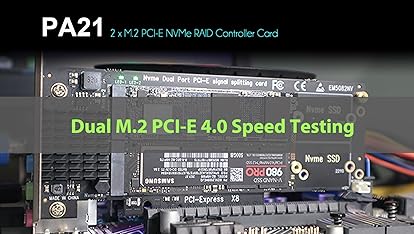
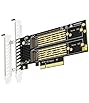


| Brand | GLOTRENDS |
|---|---|
| Manufacturer | glotrends |
| Model | PA-22110 |
| Part Number | PA-22110 |
| OS | Windows/Linux/Mac OS (Not support Windows 7) |
| Hardware interface | PCI Express x4 |
| Compatible Devices | M.2 NVMe SSD |
| Number of Items | 1 |
| Batteries included | No |
| Batteries Required | No |
| Does it contain liquid? | No |
| Manufacturer | glotrends |
| Item model number | PA-22110 |
| Parcel Dimensions | 16.2 x 13.7 x 2.5 cm; 90 g |
| ASIN | B0CHS3CRQC |

- 3 VIDEOS
-
-
-
Image Unavailable
Image not available for
Colour:
-

-
-
-
-
-
- PA-22110 M.2 NVMe to PCIe 4.0 X4 AdapterGLOTRENDS CA Official Store
Frequently bought together
This item: GLOTRENDS 22110 M.2 PCIe NVMe 4.0/3.0 Adapter for M.2 NVMe SSD, PCIE X4 Full Speed, Desktop PC Installation (PA-22110)
$11.99
Get it by Tuesday, Mar 3
In Stock
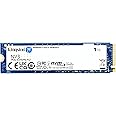
+
$199.97
Get it by Tuesday, Mar 3
In Stock
Total price:Ìý$00
To see our price, add these items to your cart.
Choose items to buy together.
Videos for similar products
From the brand

-

GLOTRENDS specializes in developing high-performance PCIe adapters and riser cables for computer engineers and DIY enthusiasts.
The products mainly include 2 series: PCIe adapters (M.2 SSD Adapter, SATA Card, WiFi/Ethernet Card, USB Card, etc) and PCIe 5.0/4.0/3.0 extension cables.
The goal of GLOTRENDS is to provide quality-assured and cost-effective products to customers worldwide. Customized production is welcome.
-
PA40
- M.2 SSD PCIe Adapter
- 4 x M.2 NVMe SSD
- Support PCIe Bifurcation
-
2/4-port M.2 PCIe Adapter
-
M.2 PCIe Adpater
-
M.2 Heatsink
- Aluminum Heatsink for 2280 M.2 SSD
- Fit for PC/PS5/PS5 Slim
-
M.2 Heatsink for PC/PS 5
-
SA3824A
- 24-port SATA Card (Non-Raid)
- PCIe 3.0 X8 Bandwidth
- ~277MB/s per port
-
SATA Card
-
LE8445
- 4-port 2.5GB NIC
- PCIe 2.0 X4=20Gbps Upstream
- 2.5GB/s Full Speed
-
NIC Card
-
Wi-Fi 5/6E/7 Card
-
U6A2C
- 8-port USB 3.0 Expansion Card
- 2 x USB-C + 6 x USB-A
-
USB Card
-
PCIe Riser Cable
- PCIe 3.0/4.0 Riser Cable
- Up to 1000mm lenth
- PCIe X1/X4 Riser Cable
-
PCIe 3.0 X16 Riser Cable
-
PCIe 4.0 X16 Riser Cable
-
PCIe 3.0 X1/X4 Riser Cable
Product Description

NVMe drive as boot drive or storage drive?
For the NVMe boot drive, you need to reinstall the OS (Windows 10 64bit/Windows 11 is recommended).
- First, you need to prepare a bootable USB drive and OS (Windows 10 64bit/Windows 11).
- When reinstalling the system, please select GUID Partition Table (GPT).
- OS will reboot after completing installation, remove the bootable USB drive, and enter BIOS to set UEFI boot mode
For NVMe storage drive, Plug and play in Windows 11/10/8/Linux/Mac OS
- Windows 7 can not support nvme drive
- Brand new NVMe drive needs to be initialized and formatted before OS recognizes it.

PCI-Express X4 Full Speed
- Supports PCIe X4 full speed and is PCIe 4.0/3.0/2.0/1.0 compliant.
- To reach PCIe 4.0 X4 full speed, your motherboard and CPU, and M.2 PCIe SSD should all support PCIe 4.0, otherwise can not reach PCIe 4.0 X4 full speed
- Intel CPU 11th generation and above support PCIe 4.0 feature


Installation
- Unscrew the copper stand. Then snap it to the end of M.2 SSD (half-moon position), see step 2 picture
- SSD is inserted diagonally into the adapter at a 30-degree angle
- Screw the M.2 SSD to the adapter
- Plug into the PCIe slot

Package Including
- PA-22110 Adapter (including M.2 screw and Standoff for 2230/2242/2260/2280/22110 size SSD)
- Scew Driver
- 8cm low-profile bracket
- Screw for mounting to PC chassis
Product information
Additional Information
| Date First Available | Sept. 11 2023 |
|---|---|
| Customer Reviews |
4.6 out of 5 stars |
| Â鶹Çø Rank |
|
Feedback

Sponsored
$89.99


