| Brand | acer |
|---|---|
| Manufacturer | acer |
| Place of Business | acer |
| Model | OMR272 |
| Model Name | OMR272 |
| OS | Android, Chrome OS, Linux, Windows, iOS |
| Compatible Devices | Laptop, Personal Computer, Tablet |
| Special features | Dual Mode¡¾BT5.2 & 2.4GHz¡¿, Ergonomic Design, Rechargeable, Side Scroll Wheel, Wireless |
| Number of Items | 1 |
| Power source type | Battery Powered |
| Batteries included | No |
| Batteries Required | No |
| Connector Type | Bluetooth, USB 2.4GHz |
| Movement detection technology | Optical |
| Hand Orientation | Right |
| Manufacturer | acer |
| Item model number | OMR272 |
| Parcel Dimensions | 14.71 x 10.39 x 6.3 cm; 168 g |
| ASIN | B0FN7J6NTL |
Image Unavailable
Image not available for
Colour:
Colour:
-
-
-
- To view this video, download
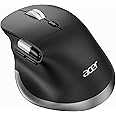
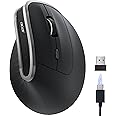
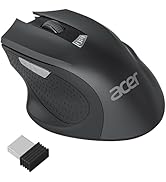
acer Wireless Bluetooth Mouse with Fast Side Scroll wheel, Ergonomic Mouse with BT5.2+2.4G Dual-Mode, 4800 DPI, 8 Buttons, Rechargeable USB Mice Connect 3 Devices, Computer Mouse for Laptop,Desktop,PC
100+ bought in past month
Limited-time deal NO_OF_HOURS hours NO_OF_MINUTES minutes Limited-time deal NO_OF_MINUTES minutes Limited-time deal NO_OF_MINUTES minutes NO_OF_SECONDS seconds Limited-time deal NO_OF_SECONDS seconds Limited-time deal
To see product details, add this item to your cart. You can always remove it later.
on any 2 qualifying items | Terms
Purchase options and add-ons
| Brand | acer |
| Colour | Black |
| Connectivity technology | Bluetooth, USB 2.4GHz |
| Special feature | Dual Mode¡¾BT5.2 & 2.4GHz¡¿, Ergonomic Design, Rechargeable, Side Scroll Wheel, Wireless |
| Movement detection technology | Optical |
About this item
- ¡¾Fast Scrolling Wheel¡¿Seamless thumb-scrolling experience, instant left and right page movement right under your thumb. The Side Scroll Wheel supports horizontal navigation, perfect for video editing, spreadsheets, timelines, and wide documents, and is perfect for office workers who handle large data.
- ¡¾Switch Effortlessly 3 Devices¡¿Acer Dual-Mode Bluetooth Mouse for Laptop allows you to switch between 2.4G and Bluetooth (2.4G, BT1, BT2) with a single click of the Mode Switch Button, allowing for seamless connection across three devices. Boost your productivity by effortlessly switching between your computer, laptop, and tablet. ?Note: 2.4GHz mode and Bluetooth mode cannot be used simultaneously.
- ¡¾Ergonomic Design¡¿Acer Wireless Ergonomic Mouse positions your hand in a natural handshake posture. The computer mouse maintains neutral wrist and arm alignment to reduce pressure and pain, ensuring smoother movement, less strain, and lasting comfort during extended use.
- ¡¾Navigate with Ease¡¿Acer Ultra-Fast Side Scrolling Ergo Mouse boosts your workflow efficiency with dedicated forward/back buttons, enabling swift browsing, seamless folder navigation, and quick application switching¡ªall with a simple click. ?The USB receiver is stored inside the mouse.
- ¡¾6-Level DPI Control¡¿Acer Wireless USB Mouse offers 6 adjustable DPI settings (4800/3200/2400/1600/1200/800), allowing you to adjust sensitivity for precise design work. Easily switch sensitivity for a seamless workflow and enhance productivity.
- ¡¾High-Capacity Rechargeable Battery¡¿This Rechargeable Computer Mouse features a built-in 500mAh rechargeable battery, no need for replacements. It conveniently recharges via USB-C. The efficient battery provides extended usage time, making it a ideal choice.
Additional details
Verified by Transparency
The brand applies a unique Transparency code to each item. We verify this code before shipping. You can verify this code using the Âé¶¹Çø Shopping app to confirm that it comes from the brand and view additional product details.
Verified by Transparency
Each item has a unique code that we verify before shipping.
Learn more
Check Compatibility
Choose your brand
We're sorry, your request can't be completed right now. Please try again later.Your session has expired. Please refresh the page and try again.
Frequently bought together

This item: acer Wireless Bluetooth Mouse with Fast Side Scroll wheel, Ergonomic Mouse with BT5.2+2.4G Dual-Mode, 4800 DPI, 8 Buttons, Rechargeable USB Mice Connect 3 Devices, Computer Mouse for Laptop,Desktop,PC
$39.99$39.99
Get it by Monday, Jan 5
In Stock
$29.99$29.99
Get it by Monday, Jan 5
In Stock
$17.99$17.99
Get it by Monday, Jan 5
In Stock
Total price:?$00$00
To see our price, add these items to your cart.
Try again!
Added to Cart
Add all 3 to Cart
Choose items to buy together.
Product information
Technical Details
Additional Information
| Batteries | 1 Nonstandard Battery batteries required. |
|---|---|
| Date First Available | Nov. 24 2025 |
| Customer Reviews |
4.3 out of 5 stars |
| Âé¶¹Çø Rank |
|
Feedback
Videos for similar products
Top Brand: acer
Highly Rated
100K+ customers rate items from this brand highly
Trending
10K+ orders for this brand in past 3 months
Low Returns
Customers usually keep items from this brand
From the brand
Product Description
Acer Dual-Mode Wireless Mouse with Side Scroll Wheel | BT 5.2 & 2.4GHz
F A Q
| Q1 | Why is my wireless mouse not working? |
| A1 | 1. Ensure the mouse is fully charged. |
| - | 2. Make sure the power switch at the bottom of the mouse is turned on. |
| - | 3. Ensure the USB receiver is properly connected to your computer. |
| - | 4. Keep the mouse within 10 meters of your computer for optimal performance. |
| Q2 | Why does the ergonomic mouse feel uncomfortable? |
| A2 | 1. Switching from a traditional to an ergonomic mouse may require 3-7 days of adjustment. |
| - | 2. Please adjust your grip to allow your palm to naturally fit the curve of the mouse to reduce hand fatigue. |
| Q3 | How to wake up the mouse? |
| A3 | The wireless mouse enters sleep mode after 10 minutes of inactivity, you can move the mouse to wake up. |
| Q4 | Why does my wireless mouse occasionally disconnect? |
| A4 | 1. Low battery power. |
| - | 2. The mouse is too far from the computer. |
| - | 3. There is significant wireless interference around, leading to an unstable signal. |
| Q5 | Can this mouse be connected via Bluetooth? |
| A5 | Yes, you can connect with "OMR272 BT-1 / BT-2" via Bluetooth. |