| Product Dimensions | 48.51 x 13.46 x 7.11 cm; 1.75 kg |
|---|---|
| Item model number | FBA_CO-Z DMX 0192 |
| Colour Name | Black |
| Material Type | Plastic |
| Country produced in | China |
| Power Source | Corded Electric |
| Voltage | 130 Volts |
| Item Weight | 1.75 kg |
-
-
-
-
-
-
-
2 VIDEOS -
Image Unavailable
Colour:
-
-
-
- To view this video, download
CO-Z 192 DMX 512 Stage DJ Light Controller Lighting Party Pub Night Club DJ KTV Moving Heads
Purchase options and add-ons
| Colour | Black |
| Shape | Rectangular |
| Material | Plastic |
| Finish type | Powder Coated |
| Light source type | Light Emitting Diode |
| Shade material | Iron |
| Power source | Corded Electric |
| Brand | CO-Z |
| Item weight | 3.86 Pounds |
| Style | Modern |
About this item
- Add More Energy to Your Shows: With 192 groups of channels, it controls up to 12 intelligent lights of up to 16 channels each, it is also able to control up to 12 fixtures and up to 240 scenes, enabling you to set up complex shows
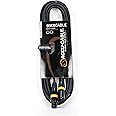
- Fun with Creation: Equipped with three-pin cable so you can easily control fog machine of three-pin sockets, such as oscillating beam lights, fog machines, front lights, par lights, strobe fixtures, ceiling beam ground row, source four, and more
- Easy Operation: Our DMX controller is a total lifesaver for amateur users, 7 sections are included, light selection area, scene switcher, channel selections stick, led display, page selection button, speed/time selection stick, function selection area
- Convenient Voice Control: Voice control available so you can effortlessly switch among different lighting scenes saving your time and energy, perfect for DJ, night clubs, family get-togethers, weddings, church gatherings, and beyond
- Hassle-Free Installation: Each DJ light comes with a bracket and two thumb screws for convenient angle adjustment. Whether you prefer floor placement or mounting on ceilings and walls, our versatile design ensures easy installation to suit your needs
Frequently bought together

Videos for similar products
Product information
Technical Details
Additional Information
| ASIN | B01N1UI8V7 |
|---|---|
| Customer Reviews |
4.1 out of 5 stars |
| 鶹 Rank |
|
| Date First Available | Jan. 20 2017 |
| Manufacturer | CO-Z |
| Place of Business | Montreal, Qc H8R 2E4,CA |
Feedback
Product Description
Step 1
Hold the Program button to enter Programming Mode, and choose the fixture using the numbered buttons in the Scanners area.
Step 2
Adjust the channels of the selected fixtures using the faders. If your fixture has more than 8 channels, press the Page Select button to turn page.
Step 3
Once you've set all your fixture's channels, press the Midi/Add button, and then use Bank Up or Bank Down to choose the bank for your scene.
Step 4
Press one of the Scene buttons to save your scene until the indicator lights flash three times. Hold the Program button to exit Programming Mode.
From the brand
-
CO-Z Premier Stage Light
-
How we get our start?
We started with a simple goal: to make your life a little easier. CO-Z's quality goods help add comfort and eliminate effort for any lifestyle.
What makes our products unique?
CO-Z's wide range of products solve everyday problems while offering the perfect balance of durability, performance, and affordability.
Why we love what we do?
Here at CO-Z, we don't just put well designed and competitively priced goods onto the market. One sale at a time, we bring greater safety, comfort, and convenience to millions. Make your home or office nice and CO-Z today!