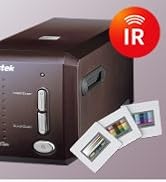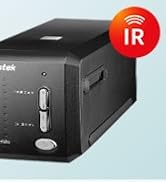







| Brand | Plustek |
|---|---|
| Manufacturer | Plustek Technology - Dt Sb |
| Place of Business | BUFFALO GROVE, IL, 60089 US |
| Model | OpticFilm 8200i Ai |
| Model Name | OpticFilm 8200i Ai |
| Model year | 2012 |
| Part Number | 783064365338 |
| OS | Mac 10.12 ~ 13.x, Windows 7 / 8 / 10 / 11 |
| Processor model number | 8200i Ai |
| Printer Media Size Maximum | A4 |
| Scanner Resolution | 7200 |
| Special features | Auto IT8 Calibration |
| Number of Items | 1 |
| Color Screen | No |
| Horizontal resolution | 7200 Dots Per Inch |
| Batteries included | No |
| Batteries Required | No |
| Connector Type | USB |
| Media Type | Negatives, Photo, Slide |
| Has auto-focus | No |
| Includes rechargable battery | No |
| Has Programmable Buttons | No |
| Manufacturer | Plustek Technology - Dt Sb |
| Language | English, French |
| Item model number | OpticFilm 8200i Ai |
| Product Dimensions | 12 x 27.2 x 11.9 cm; 1.6 kg |
| ASIN | B009724JZY |

- 5 VIDEOS
Plustek OpticFilm -SilverFast Software ResetPlustek Estore
Image Unavailable
Image not available for
Colour:
Colour:
-

-
-
- To view this video, download
Frequently bought together

This item: Plustek OpticFilm 8200i AI - 35mm Film & Slides Scanner. IT 8 Calibration Target + SilverFast Ai Studio , 7200 dpi Resolution 64Bit HDRi, Mac/PC
$628.79
Get it Feb 13 - 17
Only 3 left in stock.
+
$29.99
Get it by Wednesday, Feb 18
In Stock
+
$29.99
Get it by Wednesday, Feb 18
In Stock
Total price:Ìý$00
To see our price, add these items to your cart.
Choose items to buy together.
Videos for similar products
Product Description
The ideal solution for professional photographers, shutterbugs and graphic designers.

A complete solution for 35 mm negative films and slides.
Plustek OpticFilm 8200i Ai is a powerful scanner with 7200 dpi resolution. Its sharp optical system produces excellent detail in shadow areas and has a remarkable tonal range. The built-in infrared channel helps users remove dust and scratches on the original negatives and slides without additional post-processing. With the included IT 8 calibration slide, this powerful scanner consistently delivers accurate color and detail.
The well-designed hardware features of the OpticFilm 8200i Ai combine perfectly with the professional scanner software, SilverFast Ai Studio *(1). SilverFast Multi-Exposure increases dynamic range, reduces noise, and increases picture details. SilverFastiSRD can save images from dust and scratches while optimizing images. SilverFast Auto IT8 Calibration color calibrates the scanner device in just 2 minutes.
The Plustek OpticFilm 8200i Ai gets professional quality results from any photographic original. It is used by professional photographers, amateur photographers, graphic designers, image enthusiasts, and those who highly demand image quality on photo enlargements.
*(1)What's the different between OF8200i SE and OF8200i Ai
OF8200i SE - Bundle SilverFast SE Plus (MSRP 119 USD)
OF8200i Ai - Bundle SilverFast Ai Studio (MSRP 299 USD) + IT8 Calibration Target (MSRP 59 USD)
The precise color and detail creates extraordinary enlargements from films and Slides

Superb Scanning Resolution
This dedicated 35mm film scanner features true 7200 dpi optical resolution that ensures sharp and vivid images. Output files up to 68.9 megapixels are similar to those created by a full frame digital-SLR camera.
You can create high-quality enlargement prints up to 36� x 24�.

3.91 Dmax for smooth gradations and fine shadow detail
Dynamic range is the range of recordable light from darkest to lightest on the exposed film that a scanner can read.
With a dynamic range of up to 3.91 D, you will rediscover how beautiful and natural the highlights and shadows are in analog photography.

Built-in ICC profile
Color management is very important for input, output, and display devices in the digital imaging world. Color management ensures your scanned images look exactly the same when printed and displayed.
The PlustekOpticFilm 8200i has built-in ICC profiles for different slide films including Kodachrome slides. Your scanned images will look just as good when they are printed as they did on your display when they were scanned.

Flagship image software included
Plustek OpticFilm 8200i Ai bundles the top-professional software version: SilverFast Ai Studio.
There are more expert features controlling the bit data and optimizing the images for the fine art digital printing and professional usage purpose.
- SilverFast HDRi - The HDRi captures RAW data from the analog originals, including infrared channel into 64-bit color HDRi file or a 32-bit grey scan HDRi file. This function helps protect precious pictures against destruction and loss. Starting with 16-bit depth digital files gives the best chance of making the finest prints from the analog photography film.
- 16-bit Histogram - 16-bit Histogram is a graphic representation of statistical visuals that distributes the brightness value of a digital image and makes it as smooth as the original file without gaps as an 8-bit file.
- Expert Mode -Expert Mode gives more enhanced functionality and control tools for professional users when the image requires extra fine-tuning. More settings or protecting layers could be applied after enabling the Expert Mode.
All in all, with the top-version SilverFast software, it helps make a difference to the scanning results and ensures to archive the film in an optimal way.
Remark: The Expert Mode could be enabled by clicking on the small icon which is a doctor's hat as the button on each of the software features.
Powerful Color Management System

Using the IT8 calibration target insures that what you scan and what you see on-screen along with what you print are all the same
Accurate color is the basis for those who want to make sure the colors are exactly as they want because one image might look different when it is viewed in a light booth, viewed on different monitors, or even printed on different printers. The color difference leads to confusion and feelings. Therefore, color management is an important topic for those who are very serious about their photography and artworks. Color management is the process of controlling the way colors are represented across various devices.
OpticFilm 8200i Ai gives the best solution for calibrating the color and easy workflow. With the 35mm IT8 target and the auto IT8 calibration tool of SilverFast Ai Studio, color calibrates the film scanner in just two mouse click and 2 minutes. It can analyze the scanned file to characterize the specific color reading capabilities and compares the measuring table, which is built per under the ISO-Norm 12641, to a reference file associated with your color target. The difference between the two is mapped into and generates its unique color profile. The calibration and characterization of image devices help ensure that during the production process, an image is reproduced as accurately as possible.
iSRD - a highly reliable and comprehensive solution for infrared-based dust and scratch removal.

Use iSRD to auto-detect and remove dust and scratches from the image.
Slides and negatives always have small dust particles and tiny scratches on them, even when handled very carefully. Removing them one-by-one takes a tremendous amount of time, since often hundreds or thousands of small defects (dust grains or lint) are found on the original image, which only becomes visible after digitization. PlustekOpticFilm has a reliable solution to this problem.
The OpticFilm 8200i scanner has an infrared channel that finds all the the dust and scratches on the film surface. The infrared light has a very wide wave-length, which allows it to pass through film emulsion of negatives and slides without resistance, as opposed to scratches and dust particles that reflect it.
iSRD utilizes this behavior as follows (Automatic)
- Step 1 : Use white light for regular RGB scan.
- Step 2 : Use infrared scan that captures defects like dust and scratches only.
- Step 3 : Maker the dust and scratch on image.
- Step 4 : Calculative dust and scratch removal takes effect, only where the infrared channel has detected any defects without losing any important details.
In conclusion, OpticFilm 8200i Series can automatically remove the dust and scratches from the scanned image.
Dust and scratches are removed during the scanning process, eliminating the need for post-process removal.
How to install Silverfast Software

1. There is a silverfast 9 paper card with the serial number of the scanner on the front and the location of the Silverfast account activation website on the back attached in the box. Please use it to activate your silverfast 9.
2. Please go to the SilverFast’s account activation website to select your scanner model name and apply the unlocked serial number by typing the OpticFilm 8100/8200i/8300 hardware serial number.
3. If you already have a MySilverFast account, please click “Login in here� inside red box to login with your silverfast account and password. Then please check your email box to receive the activation link.
4. If you don’t have a MySilverFast account, please fill out the form inside blue box to set up a MySilverFast account. Then click the “Register� button at the bottom of the webpage to activate your account. Then please check your email box to receive the activation link.

OpticFilm 8100
|

OpticFilm 8200i SE
|

OpticFilm 8200i Ai
|

OpticFilm 8300i Ai
|

Mounted Slide Holders x 2
|

Negative Film Stripe Holders x 2
|
|
|---|---|---|---|---|---|---|
| Customer Reviews |
188
|
783
|
273
|
283
|
121
|
94
|
| Multi-Exposure | ✓ | ✓ | ✓ | ✓ | no data | no data |
| Nega-Fix - True-color negative to positive conversion | ✓ | ✓ | ✓ | ✓ | no data | no data |
| Kodachrome | ✓ | ✓ | ✓ | ✓ | no data | no data |
| AACO - Auto Adaptive Contrast Optimization | ✓ | ✓ | ✓ | ✓ | no data | no data |
| SCC - Select. Color Correction | ✓ | ✓ | ✓ | ✓ | no data | no data |
| 48/16 Bit RAW Data | ✓ | ✓ | ✓ | ✓ | no data | no data |
| SRDx - software based dust and scratch removal | ✓ | ✓ | ✓ | ✓ | no data | no data |
| iSRD - infrared based dust and scratch removal | no data | ✓ | ✓ | ✓ | no data | no data |
| Auto IT8 Color Calibration | no data | no data | Basic - 1-slide | Advanced - 3-slide | no data | no data |
| 16 Bit Histogram | no data | no data | ✓ | ✓ | no data | no data |
Product information
Additional Information
| Date First Available | Sept. 7 2012 |
|---|---|
| Customer Reviews |
4.0 out of 5 stars |
| Â鶹Çø Rank |
|
| Is discontinued by manufacturer | No |