
| Manufacturer | vLinker Direct |
|---|---|
| Brand | vLinker |
| Model | vLinker FS USB |
| Product Dimensions | 9.17 x 4.47 x 2.16 cm; 110 g |
| Item model number | vLinker FS USB |
| Manufacturer part number | FS USB |
| Item Weight | 110 g |
| Country of origin | China |
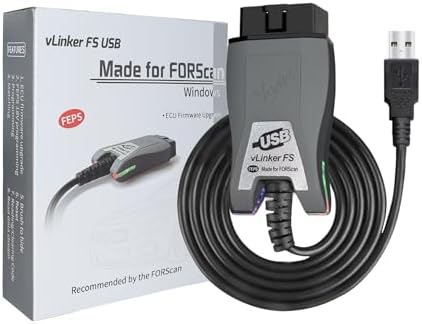
VGATE vLinker FS USB FORS-can OBD2 Adapter for HS/MS-CAN Auto Switch, Wire OBD2 USB FORS-CAN Adapter Code Readers & Scanner Diagnostic Tools
Purchase options and add-ons
| Brand | vLinker |
| Power source | Corded Electric |
| Product Dimensions | 9.2L x 4.5W x 2.2H Centimetres |
| Operating system | Windows |
| Language | English |
| Manufacturer | vLinker Direct |
About this item
- [Custom Your Car]: vLinker FS USB Specialized for designing to use the FORS-can and Recommended by the FORS-can Team. Due to its connection reliability, lightning-fast data transfer speed, and support of the proprietary For-d car CAN buses. Specially designed for For-d, Lincoln, Mazda, & Mercury cars. It's full FORS-can's advanced and hidden functions, For-d agreements and modules.
- [Fast, Stable, Efficient Configuration & Programming]: Support FEPS 18V Programming voltage output in FORS-can. Reach 3Mpbs transmission rate and the highest 3Mhz baud rate, let you enjoy smoother graphics and real-time meters. The serial buffer is 8192 bytes. OBD request byte up to 4128 bytes. It can meet the needs of some special long frame communication.
- [Fast, Rock-solid, Stable USB Connection]: ECU programming and modification, read and clear fault codes, live data and read the check engine indicator is a piece of cake. No dropped packets, data corruption, network interference.(NOTE: Supports USB port: USB 2.0, USB 3.0)
- [Automatic Electronic Switching]: Allow FORS-can to access all CAN buses at the same time and access the advanced functions. vLinker FS USB switches seamlessly between HS-CAN, MS-CAN and For-d Car networks. Don't worry about messing things up if you accidentally transmit on the wrong network.
- [Battery Saver and Protection Technology]: Auto sleep and wake up mode ,over-voltage, over-current, over-temperature and battery drain protection allow vLinker FS USB to be left plugged in without damaging the car and battery. Operating Current is 51mA, automatic sleep in idle state, sleep current is as low as 3mA.
- [Wide Car Compatible]: vLinker FS USB Supports All 12V/24V Cars compatible with OBD2 standard protocols. It is 99% of models after 2000 and around 92% of models after 1996 (the year when OBD2 became a standard in USA). In addition, our products also can be used for 12V gasoline vehicles (after 2000) as well as 12V diesel vehicles (after 2004) in EU that comply with OBD2 agreements.
- [Support 3rd-Party OBD2 Apps (NOT Included)]: FORS-can, ELMconfig, ELM FF2, FoCCCus, etc. (Note: Apps Don't Include: Our products don't include Third-party Apps and requires separate download or purchase from Play Store or App Store. Apps are categorized into free and paid ones. Consumers can select them on your needs.)
- [1-Year Warranty & Confidence Assurance]: vLinker FS USB car diagnostic scanner comes with a solid 1-Year Warranty, lifetime Firmware FREE updates, and round-the-clock tech support. Should you encounter any issues including fail to connect the device or others, our responsive team at vLinker is ready to provide fast responses and technical assistance.
Frequently bought together

More items to explore
Vgate vLinker MC+ Bluetooth OBD2 Car Diagnostic Scan Tool for iOS, Android, and WindowsFREE Shipping by 鶹Get it by Thursday, Mar 26
Vgate vLinker MC+(BT3.0/BLE4.0) OBD2 Scanner Bluetooth Car Code Reader for Android & iOS & Window, BlackFREE Shipping by 鶹Get it by Monday, Mar 23
OBDLink MX+ OBD2 Bluetooth Scanner for iPhone, Android, and WindowsFREE Shipping by 鶹Get it by Monday, Mar 23
Product Description
Release Your Inner Mechanic
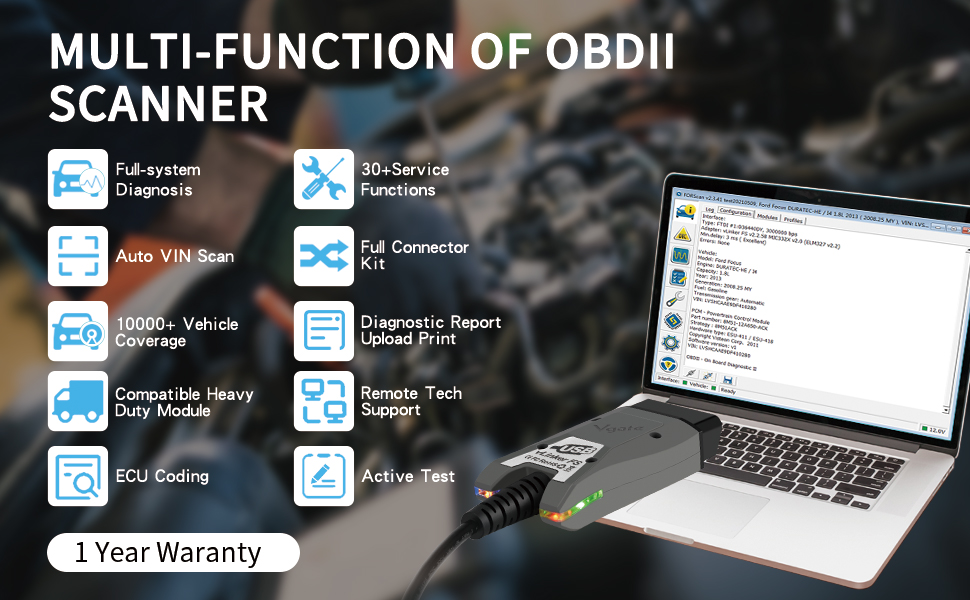
Experiment with customizations tailored to fit your driving preferences and style. vLinker FS USB is so fast, stable, and easy to use that you can change settings and revert back to factory settings in minutes if you don’t like them. Find out what works for you and create the ultimate driving experience. Dealed for DIY repairs,family mechanics, repair stores, professionals who work with a wide range of vehicles and do some repairs and maintenance. vLinker FS USB is ready to use when it via your windows PC USB port to connect the App. Makes your computer into a pro diagnosis scanner tool. vLinker FS USB + APP can work now.
vLinker FS USB OBD2 Adapter for FORS-can HS/MS-CAN Car Automatic Electronic Switching ,Recommended by the FORS-can Team - Made for FORS-can
vLinker FS USB is a professional-grade and user-friendly OBD adapter. Makes your Windows PC into a Professional OBD2 Diagnostic Scan Tool. Features unparalleled performance, hacker-proof security mechanism, full system diagnosis, BatterySaver technology, configuration & programming, reset and coding, auto sleep and wake up mode. Unlock full FORS-can's advanced and hidden functions. Support All OBD2 Protocols, For-d car agreements and modules. Read code, clear fault code and check Engine indicator is a piece of cake. The easiest way to scanner and understand your vehicle like a professional mechanic with vLinker FS USB. It makes diagnosing the car easier and more efficient.
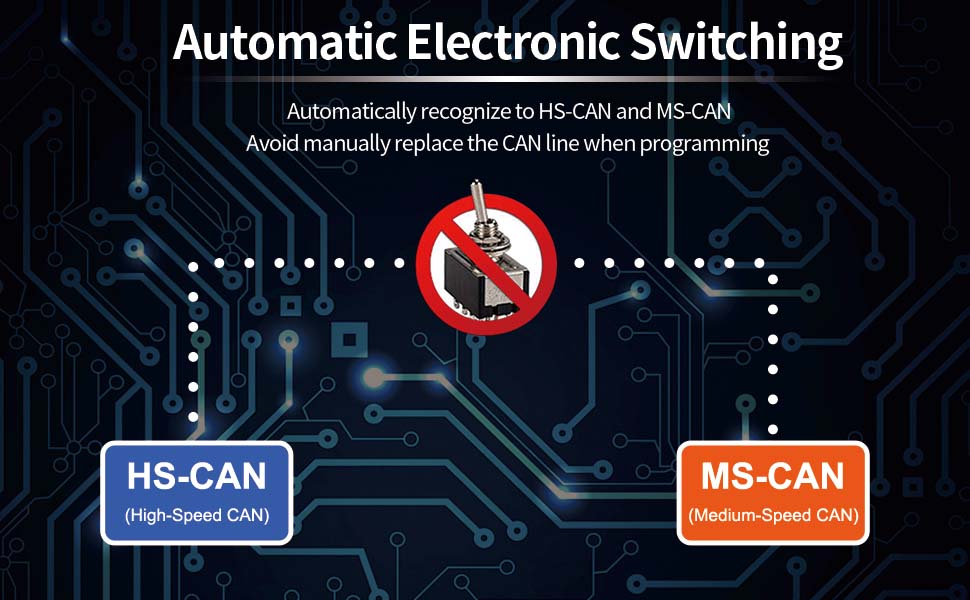
Automatic Electronic Switching
- Automatically recognize to HS-CAN & MS-CAN.
- Allow FORS-can to access all CAN buses at the same time, unlock advanced and Hidden functions.
- Simultaneously read parameters from ECUs on different CAN networks, avoid manually replace the CAN Line when Programming.
- Switch seamlessly between HS-CAN, MS-CAN, and For-d Car networks.
Wide Car Compatibility
- Supported All Cars: 12V/24V Cars Compatible with OBD2 standard,provided that the APP you use supports your car model.
- For European cars, our products can also be used for 12V gasoline vehicles (after 2000) as well as 12V diesel vehicles (after 2004) in the EU that comply with OBD2 agreement.
- Designed for all For-d, Mazda, Lincoln, Mercury vehicles. It is 99% of models after 2000 and around 98% of models after 1996 (the year when OBD2 became a standard in USA).
vLinker FS USB Hidden Functions for FORS-can
- Disable the dual horn sound when the driver's door is closed.
- Activate the Quick Start feature to speed up the start-up process by disabling the "FOR-D" symbol on the 8-inch display during start-up.
- Disable the bell tone at startup.
- Change the emergency mode so that the emergency button needs to be pressed twice to be triggered, and only the parking lights will flash and there will be no more horn sound.
- Increase the number of consecutive blinks for turn signals from 3 to 5.
- Digital display of engine and transmission temperatures in the instrument cluster.
- Automatically folds mirrors in either standard or Lincoln style.
- Mirrors fold deeper in reverse for better visibility in reverse.
- Keeps fog lights on even in high beam.
- Add buttons for heated/cooled seats and heated steering wheel to the home page of the 8-inch display.
- Activate the safety idle feature that prevents the shifter from being moved out of park when the key is not placed in the vehicle while the engine is running.
- Extend the stereo playback time after key moments.
- Global window open/close function allows you to open and close the front windows by long-pressing the lock/release button.
- Add specified type pressure value display in the tyre pressure monitoring system and so on.
Powerful Features
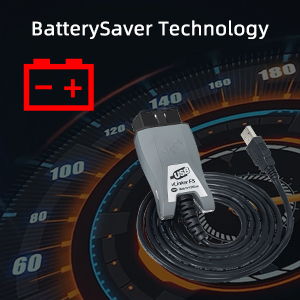
BatterySaver Technology
- Fully automatic standby and start: Auto sleep and wake up mode.
- Due to the unique Battery Saver Technology you can rest assured that vLinker FS USB won't drain your battery if you leave it plugged in.
- Operating Current is 51 mA, automatic sleep in idle state, sleep current is as low as 3 mA.
- Back-feeding protection and automatic sleep/wake-up mode enable the adapter to stay inserted without damaging the car and the battery.
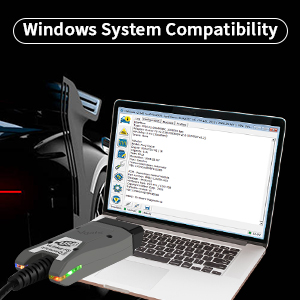
Windows System Compatibility
vLinker FS USB is a 32bits processor-based diagnostic tool. Supports Windows 10, Windows 10 x64, Windows 8.1, Windows 8.1 x64, Windows 8, Windows 8 x64, Windows 7 x64, Windows Server 2016, Windows Server 2012 R2, Windows Server 2008 R2.
Hacker-proof
Hacker-proof security mechanism to keep your car safe. vLinker FS USB uses a different Bluetooth address every time it is powered on, so some apps have to search for the device again. Unlike other OBD adapters,the vLinker FS USB doesn't use an easy-to-guess PIN and requires physical access for the initial pairing. It doesn't broadcast its presence and uses strong encryption to keep hackers out of your vehicle's network.
#Attentions#
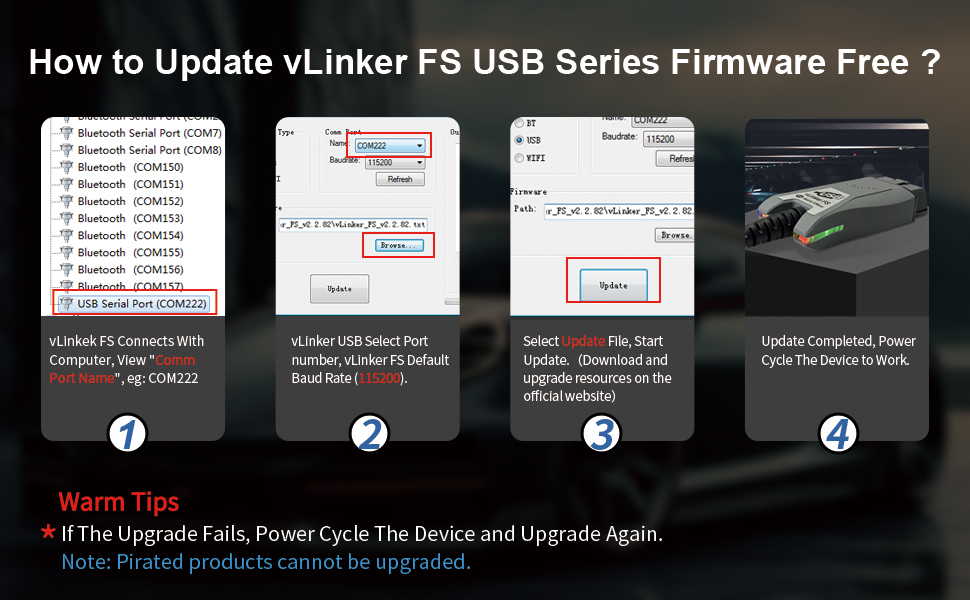
- During the upgrade process: Blue(BT) light/Orange(Host) light stays on.
- Upgrade completed: Red(OBD) light/Orange(Host) light is not on.
1. Why doesn't the product light up after the firmware update?
- This is because the update interrupted or failed.
- Remedy: If the update interrupted or fails, unplug and replug, download the latest firmware from the official website, and re-update the device.
2. What to do if you get a "USB not recognised" error message?
- Some laptop models have USB 3.0 controllers that don't work with the vLinker FS USB.
- Please try one of the following solutions:
- Connect the vLinker FS USB to a different USB port.
- Connect the vLinker FS USB via a USB 2.0 hub.
- Manually install FTDI USB driver: Open FTDI official website - Select "DRIVERS" - Click 'VCP Drivers" - Download the appropriate USB driver.
Product details
- Language : English
- Product Dimensions : 9.17 x 4.47 x 2.16 cm; 110 g
- Manufacturer : vLinker Direct
- ASIN : B0CZ92SLDY
- Item model number : vLinker FS USB
- Country of origin : China
- Customer Reviews:
Product information
Technical Details
Additional Information
| ASIN | B0CZ92SLDY |
|---|---|
| Customer Reviews |
4.6 out of 5 stars |
| 鶹 Rank |
|
| Date First Available | March 28 2024 |