



| Impedance | 16 Ohms |
|---|---|
| Microphone form factor | Mini |
| Item dimensions L x W x H | 18 x 8 x 48 millimeters |
| Power source | USB C Power |
| Material | Metal, Plastic |
| Signal to noise ratio | 60 dB |
| Hardware platform | Laptop, Mac mini M4, Mac mini M4 Pro |
| Number of channels | 1 |
| Frequency response | 15000 Hz |
| Manufacturer | DUNGZDUZ |
| Model | CGS-M3C |
| Part Number | CGS-M3C |
| Special features | Noise Reduction |
| Number of Items | 1 |
| Batteries included | No |
| Batteries Required | No |
| Material Type | Metal, Plastic |
| Item model number | CGS-M3C |
| Product Dimensions | 1.8 x 0.8 x 4.8 cm; 40 g |
| ASIN | B0FP5534M6 |

- VIDEO
-
-
-
Image Unavailable
Image not available for
Colour:
-

-
-
-
-
-
- USB C Microphone for Mac mini M4/ProBi-Sailor
Frequently bought together
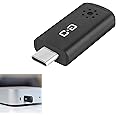
This item: DUNGZDUZ USB C Mini Microphone for Mac mini M4/M4 Pro & MacBook | Plug-and-Play Condenser Mic, Compact & Portable, Clear Audio for Work & Study
$18.99
Get it by Wednesday, Mar 4
In Stock
+
$15.99
Get it by Wednesday, Mar 4
In Stock
+
$19.99
Get it by Wednesday, Mar 4
In Stock
Total price:Ìý$00
To see our price, add these items to your cart.
Choose items to buy together.
Explore more from across the store
Page 1 of 1 Start again
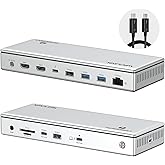
- Cmple FireWire 800 9-Pin to FireWire 400 4-Pin Bilingual Cable - 10 Feet Black (29793193)FREE Shipping by Â鶹ÇøGet it by Wednesday, Mar 4
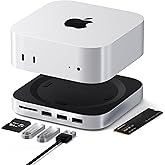
- Satechi Mac mini M4 Hub & Stand with NVMe SSD Enclosure, Mac mini M4 Dock with 2xUSB A Up to 10Gbps, USB A Data Port, SD Card Reader - SilverFREE Shipping by Â鶹ÇøGet it by Wednesday, Mar 4
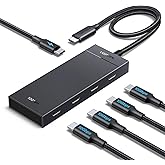
- UGREEN USB C Hub 10Gbps, 5 in 1 Hub Extender with 4 USB C 3.2 and 100W PD Ports, Splitter for MacBook Pro/Air, iPad, PC, Laptops and MoreFREE Shipping by Â鶹ÇøGet it by Wednesday, Mar 4
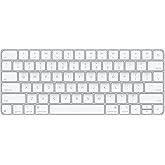
- Apple Magic Keyboard - US English ​​​​​​​FREE Shipping by Â鶹ÇøGet it by Wednesday, Mar 4
Product Description
Portable USB-C Microphone for Mac Mini

This small type-C microphone is designed for Mac Mini M4/M4 Pro and MacBook.
Notice:
- This microphone does not control the system volume. If the sound is too low, adjust the volume directly in the "Sound Settings" on your computer.
- Since Mac Mini does not include a built-in microphone, an external mic is required for voice control.

Important Note for Mac mini Users (Regarding "Hey Siri"):
Siri can only be activated manually — voice wake‑up (“Hey Siri�) is not supported due to system‑level restrictions.
Here is how to easily set up and use Siri with this microphone on your Mac mini:
Step 1: Verify Microphone Connection Go to System Settings > Sound > Input, select this USB microphone, and speak into it. If the input level bar moves, your microphone is working perfectly.
Step 2: Set Up a Siri Shortcut (Recommended Solution) Since Apple restricts voice wake-up, using a keyboard shortcut is the most seamless workaround:
- Go to System Settings > Apple Intelligence & Siri and set your preferred Keyboard Shortcut (e.g., "Press Command (⌘) twice" or "Hold the Dictation/Mic key").
- Pro Tip: If pressing the shortcut brings up a typing box, go to System Settings > Accessibility > Siri and turn off "Type to Siri". Once disabled, you can simply press the shortcut and speak your commands directly into the microphone!

DUNGZDUZ USB C Microphone for Computer
Specially for Mac mini
Built with a high-sensitivity condenser capsule and premium audio chipset, this type-c microphone captures your voice with clarity while reducing background noise.
Upgrade your Mac Mini with a compact but powerful USB-C microphone. Enjoy crystal-clear audio for calls, online meetings, and more — turning your Mac Mini into a more functional tool for work or study.
Features:
- Plug-and-Play
- Use Siri
- High-quality Sound
- Reduce Background Noise
- Compact & Portable
- One-year Protection


More Specifics: Why Doesn't "Hey Siri" Wake-Up Work on Mac mini?
Please note: This is a known Apple system limitation, not a microphone defect. Here is why:
- 1. Apple's Hardware Lock: The always-listening "Hey Siri" feature relies exclusively on Apple's proprietary internal chips (like the Secure Enclave) to process audio and protect privacy.
- 2. System-Level Restrictions: For Mac minis (M1-M4), macOS strictly limits voice wake-up to Apple-branded devices (e.g., AirPods or Studio Display). For ALL third-party USB microphones, Apple simply grays out or hides the "Listen for" option in settings.
- 3. macOS Sequoia Updates: On the new M4 Mac mini, enabling Apple Intelligence often defaults Siri to a "Type to Siri" mode, which disables direct voice wake-up by default.
(Rest assured, your mic works perfectly for calls, dictation, and voice commands once Siri is activated via a keyboard shortcut!)

DUNGZDUZ USB C Mini Microphone for Mac mini M4/M4 Pro & Mac
|

DUNGZDUZ Mini USB Microphone for Computer (Without Mute)
|

DUNGZUDUZ Upgrade Mini USB Computer Microphone with Mute Function
|
|
|---|---|---|---|
| Customer Reviews |
59
|
921
|
38
|
| Connections | USB-C | USB-A | USB-A |
| Compatible with | Mac mini M4/Pro, Mac | Laptop and Desktop Computer | Laptop and Desktop Computer |
| Mute Function | × | × | ✓ |
Product information
Additional Information
| Date First Available | Oct. 13 2025 |
|---|---|
| Customer Reviews |
4.1 out of 5 stars |
| Â鶹Çø Rank |
|


