







| Brand | Creative |
|---|---|
| Series | Sound Blaster G3 |
| Item model number | [SB-G3] |
| Hardware Platform | USB |
| Product Dimensions | 13 x 2.5 x 14 cm; 100 g |
| Item dimensions L x W x H | 13 x 2.5 x 14 Centimetres |
| Colour | Usb C + Gamevoice Mix |

- 2 VIDEOS
-
-
-
Image Unavailable
Image not available for
Colour:
-

-
-
-
-
-
- Sound Blaster G3 Setup Guide - PS4, Switch, Windows PCCreative Labs, Inc.
Frequently bought together
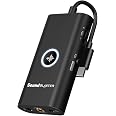
This item: Creative Sound Blaster G3 USB-C External Gaming USB DAC and Amp for PS4, Nintendo Switch, Ft. GameVoice Mix (Audio Balance for Game/Chat), Mic/Vol Control and Mobile App Control, Plug-and-Play
$49.99
Get it by Friday, Feb 27
In Stock
+![USB C Extension Cable [20Gbps/240W], Faracent 3.3ft USB 3.2 Type C Male to Female Extension Data Transfer Fast Charging Cable](https://images-na.ssl-images-amazon.com/images/I/81DaJV6sgfL._AC_UL116_SR116,116_.jpg)
$16.99Ìý($5.15/metre)
Get it by Wednesday, Feb 25
In Stock
Total price:Ìý$00
To see our price, add these items to your cart.
Choose items to buy together.
Videos for similar products
From the brand

-

We've always believed in the power of sound. In 1989, we changed how people experienced audio with sound blaster. For the first time, computers had a voice.
Today, we carry that legacy forward. Our headphones, speakers, and sound cards are designed for how people live, work, and create. Whether it's a quiet moment alone or a shared experience that matters, we build audio that inspires.
Audio that becomes part of your story.
-
Pebble Series
-
-
Soundbars & Speakers
-
-
Headphones
-
-
True Wireless
-
-
Sound Blasters
Product information
Additional Information
| ASIN | B081ZN9K2M |
|---|---|
| Customer Reviews |
4.0 out of 5 stars |
| Â鶹Çø Rank |
|
| Date First Available | Jan. 8 2020 |
| Manufacturer | Creative Labs |
| Place of Business | MILPITAS, CA, 95035 US |
Warranty & Support
Feedback

Product Description


Driverless Audio Upgrade
USB-C plug-and-play audio upgrade for gaming consoles with USB audio. There’s absolutely no fiddling with extra settings or installation to get started.
Control and balance the volume level between two audio sources directly via Sound Blaster G3

Our Latest Debut – GameVoice Mix
You have that pair of headphones. It’s your absolute favorite, but why do you need to fork out so much more in order to get access to that ONE feature you covet?
The G3 debuts our latest GameVoice Mix*, a gaming feature often found only in products that are priced at a premium. The G3's GameVoice Mix gives you game audio / chat balance capabilities – all without having to let go of your existing headphones or hurting your wallet.
Without leaving your game screen, our GameVoice Mix volume dial allows you to easily increase your voice chat volume during a raid to hear your team better, or decrease the chatter and amp up your gaming audio during a particularly climatic scene on your game – simply plug in the G3 via the USB-C and Optical / Line-in port to better your gameplay.
*This feature is available for PS4, PS4 Pro, PC, and Mac only. Our webpage offers the full setup guide for GameVoice Mix on the mentioned platforms for easy reference.
Convenience and Controls

One Hand. All Controls
The G3 provides direct access to the independent mic and volume controls on each side of the device. While you’re busy maneuvering in-game with one hand on the controller, you can make mic and volume adjustments instinctively on the other with just a single hand grip!

Hear and Be Heard with Mic-monitoring
Hate it when you are chatting with the team, but you can’t tell if you sound too soft or too loud? Simply switch on the mic-monitoring feature via the mobile app, and control how you want to be heard, while hearing yourself. And when communications are unnecessary, simply mute your mic directly via the switch on the G3.

On-The-Fly Mobile Remote
Without having to unplug or exit your game, remotely control your sound settings through the Sound Blaster Command mobile app on your phone. Make instantaneous bass and treble adjustments, further customize your Footsteps Enhancer mode, or even adjust your volume and mic controls when your G3 is out of reach--all you need is Bluetooth connectivity.


Sound Blaster G3
|

Sound BlasterX G5
|

Sound BlasterX G6
|

Sound Blaster GC7
|

Sound BlasterX G1
|
|
|---|---|---|---|---|---|
|
|
|
|
|
||
| Customer Reviews |
585
|
808
|
— |
— |
1,061
|
| Super X-Fi | x | x | x | ✓ | x |
| Virtual 7.1 | x | ✓ | ✓ | ✓ | x |
| Xamp Discrete Headphone Bi-amp | x | x | ✓ | x | x |
| Dolby Digital Decoding | x | x | ✓ | ✓ | x |
| GameVoice Mix | ✓ | x | ✓ | ✓ | x |
| Amp Specs | Up to 300Ω headphones | Low output impedance 2.2Ω, up to 600Ω headphones | Low output impedance 1Ω, up to 600Ω headphones | Up to 300Ω headphones | Up to 300Ω headphones |
| Programmable Buttons | ✓ | x | x | ✓ | x |
| DAC Specs | 24-bit / 96 kHz | 24-bit / 192 kHz | 32-bit / 384 kHz | 24-bit / 192 kHz | 24-bit / 96 kHz |
| Audio Quality | 100 dB | 120 dB | 130 dB | 120 dB | 93 dB |
| Software / Mobile App | Sound Blaster Command software and app | BlasterX Acoustic Engine Pro software | Sound Blaster Command software | Creative software and app | x |


