



Issue loading the information
Sorry, we could not show the product documents due to a problem. Please reload the page or try again later.



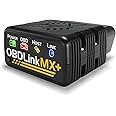
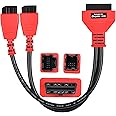


OBDLink EX switches seamlessly between HS-CAN, MS-CAN, and J1850 Ford networks. “No switch� means no worries about messing things up if you accidentally transmit on the wrong network
OBDLink EX is an affordable, user-friendly, professional-grade OBD adapter. Get dealership-level diagnostics without paying high dealership prices.
OBDLink EX is designed to take full advantage of all of the features of the FORScan software for Windows. In turn, FORScan takes advantage of exclusive OBDLink functionality.
FORScan team recommends OBDLink EX for its connection reliability, lightning-fast data transfer speed, and support of the proprietary Ford CAN buses.


Installing USB drivers for OBDLink EX
Most of the time, OBDLink EX installation is a smooth process: the USB drivers should install automatically as soon as you plug it in. Unfortunately, certain laptop models feature a non-compliant USB 3.0 controller which sometimes causes problems for our customers. If you receive "USB not recognized" or similar error messages, try one of the following solutions:
If none of the above solutions work, please contact OBDLink Support.

OBDLink EX FORScan OBD Adapter
|

OBDLink MX+ OBD2 Bluetooth Scanner for iPhone, Android, and Windows
|

OBDLink CX Bimmercode Bluetooth 5.1 OBD2 Adapter for BMW/Mini, Works with iPh...
|

OBDLink LX Bluetooth 3.0 OBD2 Adapter for Motoscan, Torque, Hybrid Assistant ...
|
|
|---|---|---|---|---|
| Customer Reviews |
9,115
|
14,283
|
3,876
|
7,286
|
| Compatible OS (Operating Systems) | Windows, Android* | iOS, Android, Windows | iOS, Android, Windows* | Android, Windows |
| OS Notes | * OTG Cable Required for Android Use | no data | * BLE Adapter Required for Windows Use | Not for iOS Use |
| Connection Type | USB interface | Bluetooth v3.0 | Bluetooth v5.1 LE (BLE) | Bluetooth v3.0 |
| Connection Feature | Simple Wired Setup | Fast Data Transfer | Low Energy Use | Fast Data Transfer |
| Supported Protocols | OBD-II, Ford MS-CAN, Ford J1850 PWM | OBD-II, GM SW-CAN, Ford MS-CAN, GM & Ford J1850 PWM | BMW Optimized OBD-II | All Standard OBD-II |
| Voltage Rating | 12V (24V compatible) | 12V (24V tolerant) | 12V | 12V |
| OBDLink App Vehicle Specific Diagnostics | In-App Purchase | Included | In-App Purchase | In-App Purchase |
| Additional Benefit | Recommended by FORScan | OBDLink app premium features included | Recommended by Bimmercode | Recommended by MotoScan |
| ASIN | B081VQVD3F |
|---|---|
| Customer Reviews |
4.7 out of 5 stars |
| Â鶹Çø Rank |
|
| Date First Available | Dec 2 2019 |


