











| Manufacturer | Zircon |
|---|---|
| Place of Business | CAMPBELL, CA, 95008 US |
| Item model number | 72296 |
| Parcel Dimensions | 23.29 x 16.1 x 9.09 cm; 249 g |
| ASIN | B09CV9TZWW |

Image Unavailable
Image not available for
Colour:
Colour:
-

-
-
- To view this video, download
Frequently bought together

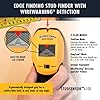
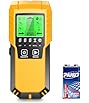
This item: Zircon StudSensor A100 Wall Scanner and Center/Edge Locating Stud Finder with WireWarning Detection
$58.75
Get it by Monday, Feb 2
In Stock
+
$24.48
In Stock
Total price:Ìý$00
To see our price, add these items to your cart.
Choose items to buy together.
Videos for similar products
From the manufacturer
Zircon Edge-Finding Stud Finder

Zircon
A Tool for Every Job
- Stud Finders
- Metal Detectors
- Circuit Breaker Finders
- Water Detectors
- Drill Guides
- Water Levels
The Zircon Advantage
Zircon's mission is to provide accurate, affordable, and easy-to-use scanning and detecting solutions for DIYers and professional contractors alike.
Zircon's team of Tool Pro Experts know the ins and outs of tools, construction, and the challenges that DIYers and professionals face.
Zircon StudSensor A100
Edge Finding Stud Finder with WireWarning Detection
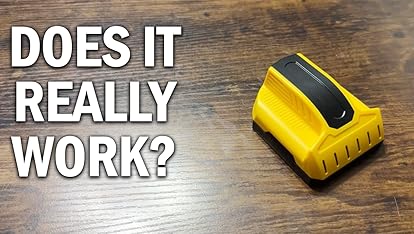
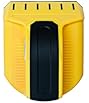
The StudSensor A100 is a handheld tool dedicated to quickly and efficiently finds the edges of studs and alerts you of live AC wiring. The A100 comes equipped with 2 scanning modes: StudScan and DeepScan.
Locate Studs and Scan for Live AC Wiring Safely and Efficiently
The Zircon StudSensor A100 makes scanning easy. The tool's StudScan finds wood and metal studs up to 3/4 in. (19 mm) deep. DeepScan mode doubles the scanning depth to 1 1/2 in. (38 mm) deep and allows for increased accuracy on deeper targets.
The A100 also includes WireWarning Detection, a safety feature that alerts you to the presence of live, unshielded electrical AC wires while scanning for studs.
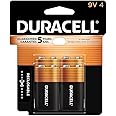
Before use, always be sure to install a brand new 9V alkaline battery for optimum performance.
A100 Features

Edge Finding
Before scanning, hold the A100 flat against wall and press the Power Button to calibrate. Be sure not to move the scanner while calibrating. After a short beep sounds, confirming calibration is complete, continue pressing the Power Button and slide the scanner slowly across the surface.
Continue to scan the surface until the stud's center is detected.
The easy-to-read screen will alert you as the stud detector approaches the edge of the stud. Once the edge is detected, the patented arrow-shaped SpotLite Pointer will shine, the translucent base will illuminate, and an audio tone will sound. DO NOT DRILL HERE! Instead, mark the spot in the “V’ marker groove at the head of the tool and continue past the stud. Repeat the process in the opposite direction and mark the opposite edge of the stud. The center of the stud is midway between the two marks.
The center of the stud center is the stud's most secure location. It is critical to drill in the center when mounting heavy objects.

StudScan and DeepScan Modes
Use StudScan Mode to find the edges of wood or metal studs up to 3.4 in. (19 mm) deep.
For best results, always start in StudScan Mode when looking for studs.
If StudScan Mode provides irregular readings the studs might be behind deeper than 3/4 in. (19 mm). Slide the Mode Selector Switch to DeepScan Mode. This doubles the scanning depth to 1 1/2 in. (38 mm) deep and allows for increased accuracy on deeper targets.
Note: WireWarning Detection works in both StudScan and DeepScan Modes. The WireWarning Detection Icon will flash when live, unshielded wires are detected.

WireWarning Detection
Safely Scan in both Modes
WireWarning Detection is a feature that is always on while scanning in StudScan and DeepScan Modes.
It alerts you to the presence of live, unshielded, electrical AC wires up to 2 inches (50 cm) deep.
As you approach an area with live AC voltage, a lightning bolt icon will display on the screen. This is the WireWarning Detection Icon. If your scan directly starts over an area with live AC voltage, the WireWarning Detection Icon will flash.
Note: Please turn off the electricity and use extreme caution in areas where live AC voltage is detected before nailing or drilling.

The Key to Success is the Battery
The installation of a fresh battery with an extended expiration date is required to steadily power the integrated screen in Zircon tool.

StudSensor A100
|

StudSensor A150
|

MultiScanner A200
|

MultiScanner A250
|

MultiScanner A250c
|
|
|---|---|---|---|---|---|
|
|
|
|
|
|
|
| Customer Reviews |
2,140
|
632
|
889
|
889
|
889
|
| Finds Edges of Studs | ✓ | ✓ | ✓ | ✓ | ✓ |
| Finds Center of Studs | no data | ✓ | ✓ | ✓ | ✓ |
| WireWarning Detection | ✓ | ✓ | ✓ | ✓ | ✓ |
| Metal Scan Mode | no data | no data | ✓ | ✓ | ✓ |
| AC Scan Mode | no data | no data | no data | ✓ | ✓ |
| ColorTrip Display | no data | no data | no data | no data | ✓ |
| ACT (Auto Correcting Technology) | no data | ✓ | ✓ | ✓ | ✓ |
| Low Battery Indicator | no data | ✓ | ✓ | ✓ | ✓ |
| Signal Strength Indicator | no data | ✓ | ✓ | ✓ | ✓ |

Frequently Asked Questions
Question: Does the StudSensor A100 include a battery?
Answer: No. Zircon stud finders and detectors, particularly those with screens, require and consume a great deal of current from batteries. For optimal performance, a brand-new recently purchased 9V alkaline battery with an extended expiration date is not included but is required to power the A100 properly.
Question: I inserted a 9V battery, but the tool doesn't turn on or is giving me strange readings. Is my tool broken?
Answer: Please be sure to use a fresh, brand new 9V alkaline battery with an extended expiration date. Batteries that may work in a smoke detector or remote control may not have adequate voltage to power the sensing technology in StudSensors.
Question: What is WireWarning Detection?
Answer: WireWarning Detection is a feature that is always on while you are scanning in StudScan and DeepScan Modes to alert you to the presence of live, unshielded electrical AC wires up to 2 in. (50 mm) deep.
Product information
Additional Information
| Â鶹Çø Rank |
|
|---|


