Safety and product resources
Issue loading the information
Documents
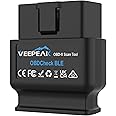
VEEPEAK OBDCheck BLE Bluetooth OBD2 Scanner Car OBD II Diagnostic Scan Tool Check Engine Code Reader for iOS and Android
Purchase options and add-ons
| Brand | VEEPEAK |
| Power source | Vehicle OBD II Port |
| Product Dimensions | 41L x 50W x 22H millimeters |
| Operating system | Android, iOS |
| Automotive Fit Type | Universal Fit |
| Manufacturer | Veepeak |
About this item
- OBD-II DIAGNOSTICS: Helps you identify reasons behind the check engine light (CEL or MIL), allowing you to read and clear trouble codes yourself, providing useful information including freeze frame, O2 sensor & on-board monitor test results, live data, and I/M readiness to help you monitor vehicle performance.
- COMPATIBLE WITH A VARIETY OF OBD APPS: Car Scanner ELM OBDII, OBD Fusion, Torque (Android only), Infocar, BimmerCode, BimmerLink, OBD JScan, Dr. Prius, OBDocker, GaragePro, etc. Note: App not included; some Apps or features require separate purchase.
- WIDE VEHICLE COMPATIBILITY: Compatible with most 1996+ cars and light trucks in the US and 1998+ in Canada. For EVs or PHEVs compatibility, refer to images or User Guide before purchase.
- COMPATIBLE WITH IOS & ANDROID: Supports Bluetooth LE for iOS (requires direct in-app connection; not via Bluetooth settings) and Classic Bluetooth for Android phones or tablets (Android head units not supported).
- Note: When used with BimmerCode, it only supports 2008+ E, F, I, and 2008+ R series (pre-2008 models or G series not supported). Not suitable for pre-2008 models for BimmerLink.
- Advanced diagnostics (ABS, SRS, TPMS, etc.) and manufacturer-specific data (like transmission temperature) are only available for selected vehicles via special Apps. Please refer to product images or User Guide, or contact Veepeak for details. Service reset is not supported.
- Tip: See charts in images or User Guide for compatible Apps and supported vehicles & functions. NOT compatible with ABRP (Android version), Bluedriver, Carly, MHD, xHP, ProTool, bootmod. Avoid other Apps that are not listed especially those low-rating iOS Apps with "Torque" in their names!
Frequently bought together

Explore more from across the store
Red Line 60103 Complete SI-1 Fuel System Cleaner, 15 Ounce, 1 BottleFREE Shipping by 鶹Get it by Sunday, Mar 8
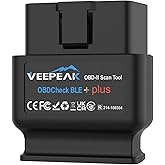
Veepeak OBDCheck BLE+ Bluetooth OBD II Scanner Car Check Engine Light Code Reader Auto Diagnostic Scan Tool for iOS & Android13% offLimited-time dealFREE Shipping by 鶹Get it by Sunday, Mar 8
KAFEEK Steering Wheel Cover, Universal 15 inch, Microfiber Leather, Anti-Slip, Odorless, Black LinesFREE Shipping by 鶹Get it by Sunday, Mar 8
Vgate vLinker FS OBD2 USB Adapter for for-Scan HS/MS-CAN Auto SwitchFREE Shipping by 鶹Get it by Sunday, Mar 8
From the brand
-
Smarter tools. Better drives.
At Veepeak, we believe car diagnostics should be simple and affordable. We create reliable, easy-to-use tools that help everyday drivers and DIY mechanics understand their vehicles without expensive shop visits.
From reading engine codes to checking live data and emissions readiness, Veepeak makes car care smarter and more accessible — for beginners and experienced users alike.
-
OBDCheck BLE
Read trouble codes and sensor data, and do more by using with your iPhone or Android phone.
-
Veepeak Car Diagnostic Tools
Product details
- Is discontinued by manufacturer : No
- Product Dimensions : 4.1 x 5 x 2.2 cm; 60 g
- Manufacturer : Veepeak
- ASIN : B073XKQQQW
- Item model number : BLE
- Country of origin : China
- Customer Reviews:
Product Description
Know Your Vehicle Better
The vehicle in your garage can be as smart as your phone. Turn your iOS or Android phone or tablet into a sophisticated diagnostic scan tool and real-time performance monitor. The OBDCheck BLE directly plugs into your vehicle and connects to an OBD II App on your iOS or Android device via Bluetooth. Whenever you have a check engine light on or want to see how your car is performing, it will be a very useful gadget for you.
Popular Compatible Apps (Not Included; some may require purchase)
| OBD Fusion | OBD II diagnostics, create customized dashboards, plus enhanced diagnostics & PIDs for selected vehicles. |
| CAR SCANNER ELM OBD22 | See what your car is doing in realtime, get OBD fault codes, car performance, sensor data and more! |
| Torque Lite/Pro (Android only) | Popular vehicle performance, sensors and diagnostics tool. |
| BimmerCode | Compatible with BMW & mini for coding (Model year 2008+, not suitable for G series). |
| BimmerLink | Read trouble codes, display real-time sensor values, or register a new battery after replacement for BMW (model year 2008+). |
| Dr. Prius | Examine the health of the High Voltage battery for Toyota/Lexus hybrid owners. |
| More Apps | Compatible with OBD JScan, Carista OBD, OBDocker, MotorData, bimmer-tool, GaragePro, ABRP (iOS version), AlfaOBD, ActiveOBD, FourStroke, Harry's LapTimer, RaceChrono, TrackAddict, etc. |
-
1: Install the App
iOS: Car Scanner, OBD Fusion, etc.
Android: Torque, Car Scanner, etc.
-
2: Plug it in
Make sure it fits well.
-
3: Turn on ignition
Refer to car manual for detailed operation.
-
4: Bluetooth Setting
VEEPEAK shows up on Bluetooth device list. For iOS devices, be sure not to connect here.
-
5: Run the App
Start the App, select the right connection type or adapter in settings to connect.
How To Use
-
Is there an App included with the item?
Currently no. You have to get a compatible third-party App from the App Store or Google Play Store (some may NOT be free). Also what features you can get mainly depends on your chosen App. Please refer to the user instructions.
-
What vehicles are supported when using it with BimmerCode or BimmerLink App?
Currently only 2008+ models are supported for the two apps. Additionally, G series is not fully supported in BimmerCode. Please refer to the app official page for detailed compatibility.
-
Does it work on electric vehicles?
It can work on most EVs, but it requires a proper App, for example Car Scanner ELM OBD2 (with the appropriate EV connection profiles), Dr Prius, ABRP (iOS version), EVNotify, MyGreenVolt, EV Watchdog, etc.
-
Does it read transmission temperature or other manufacturer-specific PIDs?
The transmission (fluid) temperature is a manufacturer specific PID so it’s not read by most generic OBD2 Apps. Please refer to user instructions or contact support for help.
Common Troubleshooting
1. Device does not power up (no blue light).
First check if the cigar fuse of your vehicle is in good condition. You can also try with another vehicle to verify.
2. When I try to connect “VEEPEAK” with my iPhone or iPad, it tells me it is not supported (common connection problem for iOS devices).
This device uses Bluetooth LE for iOS devices. You will see this error when trying to pair with it from the iOS Bluetooth Settings. You do not need to connect with VEEPEAK here. Please restart your iOS device so “VEEPEAK” shows up again, then start the OBD App to connect (refer to App connection tips in user instructions).
3. Could not pair my Android device with “VEEPEAK”.
Disconnect other Bluetooth devices; Turn off Bluetooth and turn it back on. Try pairing a few more times; Restart your Android device; Clear Bluetooth data cache to completely reset Bluetooth (Settings > Apps > More options > Show system apps > Bluetooth > Storage> Clear data); For Car Scanner ELM OBD2 App, you can select Bluetooth LE as the connection type; For Android head units, check the Bluetooth settings and see if PIN is enabled or the default pairing PIN is correct (should be 1234).
4. App not connecting to Veepeak device.
Make sure the App is compatible, and you have made the correct App connection settings and granted the App permissions; Remove and re-install the app (especially when you have an OS update); Try with a different App.
5. Cannot connect to vehicle/ECU.
Make sure your vehicle is OBD II compliant, ignition is ON and the OBD2 connector is in good condition; Make sure it fits well in the OBD2 port. Try to push it a little harder into the OBD2 port if the contact is loose; Check if your vehicle is supported by the App; Try it on another vehicle.
Specifications
| Communication Method | Bluetooth LE for iOS (do not connect in Bluetooth Settings; please connect in the App), Classic Bluetooth for Android |
| Operating Voltage/Current | 9V~16V, Max 45mA |
| Supported OBD II protocols | J1850 PWM, J1850 VPW, ISO9141-2, ISO14230-4 (KWP2000), and ISO 15765-4 (CAN) |
| Compatible Vehicles | USA - 1996+, Canada – 1998+, Mexico – 2006+, EU – 2001+ (gas), 2004+ (diesel). Apply to OBD II functionalities (check engine light diagnostics only). |
| Supported Functions | Generic OBD2 diagnostics: check engine light code reading and clearing, live sensen data, freeze frame, I/M readiness, and other functions specified by the chosen App. |
More Car Tools from Veepeak
OBDCheck BLE
Add to Cart
| OBDCheck VP11
Add to Cart
| OBDCheck BLE+
Add to Cart
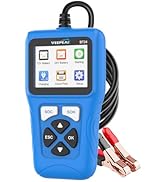
| Car Battery Tester 12V
Add to Cart
| Car Battery Tester 12/24V
Add to Cart
| |
|---|---|---|---|---|---|
|
Customer Reviews
|
4.4 out of 5 stars 22,586
|
4.3 out of 5 stars 18,224
|
4.5 out of 5 stars 10,422
|
4.4 out of 5 stars 624
|
4.8 out of 5 stars 95
|
|
Connection Method
| Bluetooth LE + Classic | Classic Bluetooth | Bluetooth LE + Classic | Wired | Wired |
|
Compatible with Android
| ✔ | ✔ | ✔ | ✘ | ✘ |
|
Compatible with iOS
| ✔ | ✘ | ✔ | ✘ | ✘ |
|
Popular Compatible Apps
| Car Scanner, OBD Fusion | Torque, Car Scanner | Car Scanner, OBD Fusion | Not required | Not required |
|
Main Functions
| OBD2 diagnostics | OBD2 diagnostics | OBD2 diagnostics | Auto battery health test | Auto battery health test |
|
Extra functions
| Depending on the choose App | Depending on the choose App | Depending on the choose App | Starting and alternator test | Starting and alternator test |
|
Highlight
| Version v1.5 | v1.5 (for Android only) | Version v2.2 | For 12V battery | For 12V & 24V battery |
Product information
Technical Details
| Manufacturer | Veepeak |
|---|---|
| Place of Business | Chino, CA 91710,US |
| Brand | VEEPEAK |
| Product Dimensions | 4.1 x 5 x 2.2 cm; 60 g |
| Item model number | BLE |
| Is discontinued by manufacturer | No |
| Manufacturer part number | OBDCheck BLE |
| Item Weight | 60 g |
| Country of origin | China |
Additional Information
| ASIN | B073XKQQQW |
|---|---|
| Customer Reviews |
4.4 out of 5 stars |
| 鶹 Rank |
|
| Date First Available | July 14 2017 |


![FM Transmitter for Car Bluetooth 5.3, FOCBYE Bluetooth Car Kit [All-Metal] PD 20W & QC3.0 18W Fast Car Charger, Wireless Rece](https://images-na.ssl-images-amazon.com/images/I/61wETIr+u8L._AC_UL165_SR165,165_.jpg)