| Brand | Texas Instruments |
|---|---|
| Manufacturer | Texas Instruments |
| Place of Business | DALLAS, TX, 75243 US |
| Model | 30XSMV/TBL/1L1/G |
| Model Name | TI-30XS MultiView |
| Model year | 2013 |
| Part Number | 30XSMV/TBL/1L1/G |
| Compatible Devices | Calculator |
| Standing screen display size | 5 Centimeters |
| Display type | LCD |
| Color Screen | No |
| Power source type | Solar Powered |
| Batteries included | No |
| Batteries Required | Yes |
| Battery Cell Composition | Alkaline |
| Human Interface Input | Buttons |
| Material Type | Metal, Rubber |
| Includes rechargable battery | No |
| Includes Remote | No |
| Manufacturer | Texas Instruments |
| Item model number | 30XSMV/TBL/1L1/G |
| Product Dimensions | 24.77 x 16.99 x 3.18 cm; 27.22 g |
| ASIN | B000PDFQ6K |
-
-
-
-
-
-
-
VIDEO -
Image Unavailable
Colour:
-
-
-
- To view this video, download
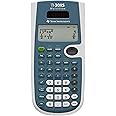
TI-30XS MultiView Scientific Calculator
Purchase options and add-ons
| Brand | Texas Instruments |
| Colour | Blue, White |
| Calculator Type | Engineering/Scientific |
| Power source | Solar Powered |
| Screen size | 5 Centimeters |
About this item
- Four-line display
- One- and two-variable statistics; Fraction/decimal conversion; Step-by-step fraction simplification
- MathPrint feature
- Edit, cut and paste entries
- Solar and battery powered
- Designed with unique features to allow you to enter more than one Calculation, compare results and explore patterns, all on the same screen
- Enter and view calculations in common math notation via the math Print mode, including stacked fractions, exponents, exact square roots and more
- Quickly view fractions and decimals in alternate forms by using the toggle key
- Previous Entry - Lets you review previous entries and look for patterns
- Menus - Easy to read and navigate pull-down menus similar to those on a graphing calculator
- Fraction features View and perform fraction computations and explorations in familiar textbook format
- Scientific Notation Output View scientific notation with the proper superscripted exponents and see the output in scientific notation
- Table feature - Easily explore an (x,y) table of values for a given function, automatically or by entering specific x values
Frequently bought together

Product information
Technical Details
Additional Information
| Batteries | 1 Lithium Metal batteries required. |
|---|---|
| Date First Available | Jan. 19 2009 |
| Customer Reviews |
4.7 out of 5 stars |
| 鶹 Rank |
|
| Is discontinued by manufacturer | No |
Feedback
Videos for similar products
Product description
The TI-30XS MultiView is a powerful, four-line scientific calculator for high school math and science exploration. The MathPrint textbook display shows fractions, symbols and math representations as they appear in textbooks.. In addition, the ti-30XS MultiView scientific calculator is approved for use on SAT, ACT and AP exams.
From the manufacturer
Texas Instruments TI-30XS MultiView Scientific Calculator
Key features:
- Four-line display
- One- and two-variable statistics
- MathPrint feature
- Fraction/decimal conversion
- Fraction math
- Edit, cut and paste entries
- Solar and battery powered
Product summary presents key product information
Keyboard shortcut
Shift
+
Alt
+
opt
+
D
Product Summary: TI-30XS MultiView Scientific Calculator
From Texas Instruments
About this Item
- Four-line display
- One- and two-variable statistics; Fraction/decimal conversion; Step-by-step fraction simplification
- MathPrint feature
- Edit, cut and paste entries
- Solar and battery powered
- Designed with unique features to allow you to enter more than one Calculation, compare results and explore patterns, all on the same screen
- Enter and view calculations in common math notation via the math Print mode, including stacked fractions, exponents, exact square roots and more
- Quickly view fractions and decimals in alternate forms by using the toggle key
- Previous Entry - Lets you review previous entries and look for patterns
- Menus - Easy to read and navigate pull-down menus similar to those on a graphing calculator
- Fraction features View and perform fraction computations and explorations in familiar textbook format
- Scientific Notation Output View scientific notation with the proper superscripted exponents and see the output in scientific notation
- Table feature - Easily explore an (x,y) table of values for a given function, automatically or by entering specific x values
Product description
Important Information
Visible screen diagonal
2" / 5 cm
Feedback
Did you find this product summary feature useful?