









| Parcel Dimensions | 7.9 x 4.1 x 4.1 cm; 30 g |
|---|---|
| Item model number | TXSM-AU-S7-JBK-17-TDJ |
| Special Features | Foldable |
| Colour | Dark |
| What’s in the box? | Locking Screw ×1, Quick-Release Adapter Mount ×1 |
| Item Weight | 30 g |
- VIDEO
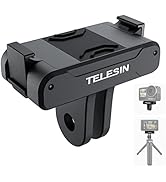
TELESIN Quick-Release Foldable Charging Mount for Osmo Nano GAOPOLO
Image Unavailable
Image not available for
Colour:
Colour:
-

-
-
- To view this video, download
Additional details

Verified by Transparency
The brand applies a unique Transparency code to each item. We verify this code before shipping. You can verify this code using the Â鶹Çø Shopping app to confirm that it comes from the brand and view additional product details.
Verified by Transparency
Each item has a unique code that we verify before shipping.
Frequently bought together
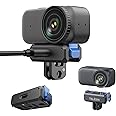
This item: TELESIN Charging Dual-Direction Quick-Release Foldable Adapter Mount for DJI Osmo Nano, Magnetic Base with 1/4" Thread & USB-C Charging Port, DJI Osmo Nano Accessories
$27.99
Get it by Tuesday, Feb 17
In Stock
+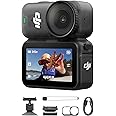
$459.99
Get it by Tuesday, Feb 17
In Stock
+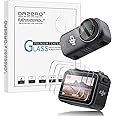
$10.99
Get it by Tuesday, Feb 17
In Stock
Total price:Ìý$00
To see our price, add these items to your cart.
Choose items to buy together.
Videos for similar products
Product information
Additional Information
| ASIN | B0FRM59464 |
|---|---|
| Customer Reviews |
4.4 out of 5 stars |
| Â鶹Çø Rank |
|
| Date First Available | Sept. 18 2025 |
| Manufacturer | TELESIN |
| Place of Business | Shenzhen Telesin Digital Co.,Ltd. Address: Room 526,5/F,Block B,Bairuida Building, Vanke City Community Bantian Street,Longgang District,Shenzhen,Guangdong,China.518000 |
Feedback

Product Description
Magnetic Quick Release Adapter Mount for DJI
 Nano Charging Mount |  Nano Magnetic Mount |  Action 6 Magnetic Mount |  Action 5 Magnetic Mount | |
|---|---|---|---|---|
|
Customer Reviews
|
18
|
34
|
7
|
36
|
|
Compatible with
| DJI Osmo Nano | DJI Osmo Nano | DJI Osmo Action 6 | DJI Osmo360 & Action 5 pro/4/3 |
|
Foldable
| ✔ | ✘ | ✘ | ✔ |
|
Magnet Direction
| Dual-Direction | Dual-Direction | Dual-Direction | Unidirectional |
|
Quick-Release Spring Clip
| ✔ | ✔ | ✔ | ✔ |
|
Features
| Rechargeable & Foldable | for Camera & Vision Dock | Dual-Direction | Foldable |
|
Anti-slip Silicone Pad
| ✔ | ✔ | ✔ | ✔ |
|
Weight
| 20g | 13g | 13g | 18g |
|
Interface
| Dual Claw & 1/4" Threaded | only Dual Claw | only Dual Claw | Dual Claw & 1/4" Threaded |


