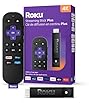
| Brand | Roku |
|---|---|
| Manufacturer | Roku |
| Model | RCA1R |
| Model Name | Roku Voice Remote (Official) for Roku Players, Roku Audio, and Roku TV |
| Model year | 2022 |
| Part Number | RCA1R |
| Compatible Devices | Television |
| Special features | Voice Search |
| Mounting Hardware | Roku Voice Remote, Two AAA Batteries |
| Number of Items | 1 |
| Battery Description | AAA |
| Batteries included | Yes |
| Batteries Required | Yes |
| Battery Cell Composition | Alkaline |
| Connector Type | Infrared |
| Includes rechargable battery | No |
| Manufacturer | Roku |
| Item model number | RCA1R |
| Product Dimensions | 13.97 x 4.32 x 2.03 cm; 45.36 g |
| ASIN | B0BQS9Y69G |

Image Unavailable
Colour:
-
-
-
- To view this video, download
Roku Voice Remote | Replacement TV Remote Control with Voice Control, Simple Setup, & Pre-Set App Shortcuts - Compatible with Roku TV, Players, & Audio Devices
Purchase options and add-ons
| Brand | Roku |
| Special feature | Voice Search |
| Colour | Black |
| Max number of supported devices | 1 |
| Compatible devices | Television |
About this item
- Easy voice search & control: Quickly search across thousands of top channels, play entertainment, control your streaming, and more with your voice
- No more juggling remotes: Power up your TV, adjust the volume, control your Roku device, switch inputs on your Roku TV, and more—all in a tap
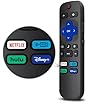
- Pre-set channel shortcuts: Pre-set channel shortcuts let you launch popular streaming channels with the push of a button, all without having to scroll
- Simple setup: Simply turn on your Roku device and pull the battery tab on the back of the remote and it should pair automatically
- Works with your Roku device: Roku Voice Remote works with all Roku TV models, Roku audio products, and most Roku players*
- For Roku TV users upgrading their remote: Use your voice to launch channels, search for entertainment, turn captions on, switch inputs, and more
- For Roku player users: Use your voice to launch channels and search for entertainment
- For Roku audio users: Use your voice to turn captions on, plus control your TV with power, volume, and mute buttons
Frequently bought together

Product information
Technical Details
Additional Information
| Batteries | 2 AAA batteries required. (included) |
|---|---|
| Date First Available | Dec 22 2022 |
| Customer Reviews |
4.6 out of 5 stars |
| 鶹 Rank |
|
Feedback
Videos for similar products
Product description
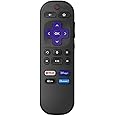
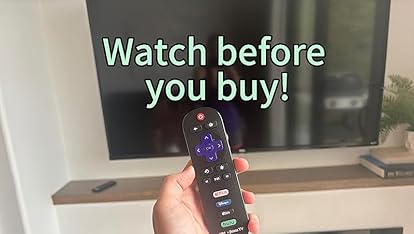
Roku Voice Remote will level up your entertainment experience, whether you’re upgrading or replacing another remote. The simple-to-use Roku voice remote puts streaming, TV, movies, gaming, and more all in the palm of your hand. Easily search for entertainment, launch streaming channels, and control your TV—including volume, mute, and closed captions—all with your voice. If you’d rather use physical buttons, volume, mute, and power are conveniently located to make controlling your TV a breeze. For even quicker access to your favorite entertainment, there are four pre-set channel shortcut buttons that launch with a tap and put you right in the action. Plus, setting up Roku voice remote is as simple as could be—just turn on your Roku device, pull the battery tab on the back of the remote, and the remote should pair automatically. Roku voice remote will work with most recent Roku players, all Roku TV™ models, and Roku audio products.