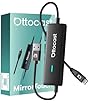
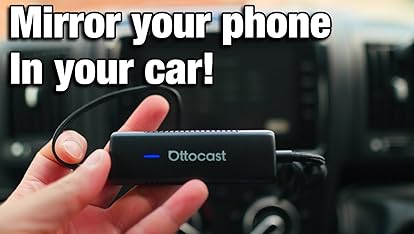
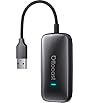
OTTOCAST Mirror Touch, 3 in 1 Screen Mirroring Adapter for Car with Wireless Carplay Adapter, Wach Video on Car Screen from iPhone 15+ & Android Phone with DP, for OEM Wired Carplay Cars (2016+)
To see product details, add this item to your cart. You can always remove it later.
Purchase options and add-ons
Brand
OTTOCAST
Connector type
USB Type A
Cable type
USB
Compatible devices
iPhone
Special feature
Android Phone Screen Mirroring Adapter for Car, Controlling your phone through the car screen while driving, Wireless Carplay Adapter, iPhone 15+ Screen Mirroring Adapter for CarSee more
About this item
🔄 �BIDIRECTIONAL TOUCH CONTROL 】– Drive Safely: Operate work apps, video calls, or unsupported CarPlay tools directly from your car’s touchscreen while driving. No more handling phones for Zoom meetings or navigation!
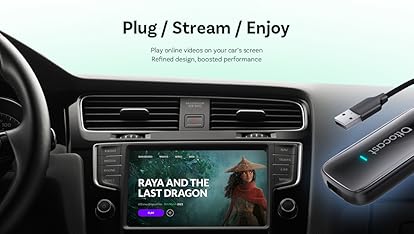
📱 �FULL PHONE MIRRORING & APP SUPPORT 】 – Display Netflix, YouTube, Tiktok, Disney+, Spotify, and any mobile app on your infotainment system; Ultra-low latency (80-100 ms) ensures smooth streaming.
🔌→📶�Wireless CarPlay Adapter for Apple iPhone】Easily transform wired OEM CarPlay to wireless! Supports navigation, music playing, Siri assistant, phone calls, text messaging, etc. Enjoy full Carplay App and keep original car operation. No more tangled cables, leaving your car cleaner and embracing the convenience of wireless Car Play - just pure driving bliss.
🔋�POWER SUSTAINED STREAMING 】– Never Run Out of Battery: Connect OTTOCAST Mirror Touch to your car’s USB port or power bank via dedicated charging input. Stream videos for hours without draining phone battery. When you use the OTTOCAST Mirror Touch for screen mirroring in your car, it doesn’t charge your phone directly. ---{ Please note: But don’t worry — OTTOCAST Mirror Touch has its own charging port. Just plug it into a power bank, your car’s cigarette lighter, or any car charger, and you can keep your phone charged while mirroring your screen. Easy and convenient! }
🛡��After-Sales Service】Ottocast have the professional technical team. If you encounter any problems during use,you can send an email to the customer service for help, and we would respond to you within 24 hours with a 24-month product guarantee.
⚠� �PHONE & VEHICLE COMPATIBILITY 】– 📱 Phone Requirement: Works with iPhone 15 or later (USB-C) and Android DP-enabled models (e.g., Samsung S24/S25, Pixel 8/9). – 🚗 Vehicle Requirement: Make sure your car has wired CarPlay from the factory.
OTTOCAST Mirror Touch, 3 in 1 Screen Mirroring Adapter for Car with Wireless Carplay Adapter, Wach Video on Car Screen from iPhone 15+ & Android phone with DP, for OEM Wired Carplay Cars (2016+)
Product Summary: OTTOCAST Mirror Touch, 3 in 1 Screen Mirroring Adapter for Car with Wireless Carplay Adapter, Wach Video on Car Screen from iPhone 15+ & Android Phone with DP, for OEM Wired Carplay Cars (2016+)
🔄 �BIDIRECTIONAL TOUCH CONTROL 】– Drive Safely: Operate work apps, video calls, or unsupported CarPlay tools directly from your car’s touchscreen while driving. No more handling phones for Zoom meetings or navigation!
📱 �FULL PHONE MIRRORING & APP SUPPORT 】 – Display Netflix, YouTube, Tiktok, Disney+, Spotify, and any mobile app on your infotainment system; Ultra-low latency (80-100 ms) ensures smooth streaming.
🔌→📶�Wireless CarPlay Adapter for Apple iPhone】Easily transform wired OEM CarPlay to wireless! Supports navigation, music playing, Siri assistant, phone calls, text messaging, etc. Enjoy full Carplay App and keep original car operation. No more tangled cables, leaving your car cleaner and embracing the convenience of wireless Car Play - just pure driving bliss.
🔋�POWER SUSTAINED STREAMING 】– Never Run Out of Battery: Connect OTTOCAST Mirror Touch to your car’s USB port or power bank via dedicated charging input. Stream videos for hours without draining phone battery. When you use the OTTOCAST Mirror Touch for screen mirroring in your car, it doesn’t charge your phone directly. ---{ Please note: But don’t worry — OTTOCAST Mirror Touch has its own charging port. Just plug it into a power bank, your car’s cigarette lighter, or any car charger, and you can keep your phone charged while mirroring your screen. Easy and convenient! }
🛡��After-Sales Service】Ottocast have the professional technical team. If you encounter any problems during use,you can send an email to the customer service for help, and we would respond to you within 24 hours with a 24-month product guarantee.
⚠� �PHONE & VEHICLE COMPATIBILITY 】– 📱 Phone Requirement: Works with iPhone 15 or later (USB-C) and Android DP-enabled models (e.g., Samsung S24/S25, Pixel 8/9). – 🚗 Vehicle Requirement: Make sure your car has wired CarPlay from the factory.
Product description
OTTOCAST Mirror Touch, 3 in 1 Screen Mirroring Adapter for Car with Wireless Carplay Adapter, Wach Video on Car Screen from iPhone 15+ & Android phone with DP, for OEM Wired Carplay Cars (2016+)