



| Brand | Logitech G |
|---|---|
| Series | Logitech G Saitek PRO Flight Throttle Quadrant |
| Item model number | 945-000032 |
| Hardware Platform | Desktop |
| Operating System | 8 . 1,Windows 7 |
| Product Dimensions | 11 x 16.5 x 9 cm; 500.93 g |
| Item dimensions L x W x H | 11 x 16.5 x 9 Centimetres |
| Colour | Black,blue,red |
| Power Source | Information Not Available |

Image Unavailable
Image not available for
Colour:
Colour:
-

-
-
- To view this video, download
Frequently bought together
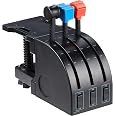
This item: Logitech G Saitek PRO Flight Throttle Quadrant, Professional Simulation Axis Levers, LCD Display, 3x Two-Way Rocker Switches, Adjustable Bracket, USB, PC - Black
$89.98
Get it by Wednesday, Jan 7
In Stock
+
$249.99
Get it by Saturday, Jan 17
Ships from and sold by Â鶹Çø.ca.+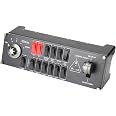
$149.98
Get it by Wednesday, Jan 7
In Stock
Total price:Ìý$00
To see our price, add these items to your cart.
Choose items to buy together.
Product information
Additional Information
| ASIN | B01M00UHE3 |
|---|---|
| Customer Reviews |
4.4 out of 5 stars |
| Â鶹Çø Rank |
|
| Date First Available | Oct. 13 2016 |
| Manufacturer | Logitech Canada |
| Place of Business | Newark, CA 94560, USA |
Warranty & Support
Feedback

What other items do customers buy after viewing this item?
Page 1 of 1 Start again

From the manufacturer


Logitech G Saitek PRO Flight Throttle Quadrant
Closer to Reality
If you like to fly multi-engine aircraft, most flight sim controllers leave you a couple throttles short. The Pro Flight Throttle Quadrant is your solution. A trio of momentary, 2-way toggle switches on the Quadrant’s base help create a total of 9 programmable commands. A perfect complement to the Throttle Quadrant included in the Pro Flight Yoke, you can easily add modular controls to your simulator cockpit. Fly with Saitek, the market leader in high-performance flight simulation hardware.
Elite Features
- 3-Lever Quadrant Fine-Tunes Throttle, Prop, and Mixture Levels
- Programmable Levers Can Control Any Assignable Axis
- Ideal for Combining with Another Quadrant for Multi-Engine Aircraft

The Multi-Engine Aircraft’s Ally
Ideal for Side-by-Side Configuration
Interchangeable lever heads help you create a custom configuration of throttle, flaps, mixture, and prop pitch. Remove the lever tops and then group the controls just how you want them.
Rugged Mounting Hardware
Pro Flight Throttle Quadrant is equipped with an adaptable mounting clamp which provides the freedom to configure your kit in any manner you see fit. Whether on top of your desk or clamped to the front, you can securely place the controls exactly where you want them.
Flight Simulation Software Compatibility
- FSX - Flight Simulator X (PC only)
- X-Plane 10 (PC and Mac)
- Prepar3D 2.2 (PC only)
- Most Other Flight Simulation Software
- System Requirements: Windows 7 or higher and USB 2.0 Port

Fully Customizable to Meet Your Needs
Modular and interchangeable, Saitek's range of Instrument Panels can be situated one on top of another or side-by-side. Want the Multi Panel above the Radio Panel? Done. Want your Switch Panel to the left of your Yoke? Go for it. Easy-to-use mounting brackets provide the means to arrange your flight simulation setup in a configuration only limited by your imagination.

Build the Ultimate Virtual Cockpit
With Saitek's Pro Flight Yoke System, the configuration of your dreams can become reality. From just a Yoke and a Throttle Quadrant, easily add Rudder Pedals and a multitude of Switch, Navigation, and Instrument Panels to fully customize your flight simulator. Commercial or private, seasoned or novice, you have the ability to equip your flight simulation setup with all the essentials needed to vastly improve your skill set and muscle memory.


