














| Wireless communication technology | Wi-Fi |
|---|---|
| Manufacturer | Shenzhen Goodflys Technology Co.,Ltd |
| Parcel Dimensions | 9.8 x 7.5 x 7.1 cm; 131.54 g |
| Special Features | HD Resolution |
| Batteries Required? | No |
| Item Weight | 132 g |
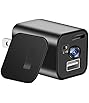
hidden camera chargerLIZVIE
Image Unavailable
Image not available for
Colour:
Colour:
-

-
-
- To view this video, download
- 3 VIDEOS
Frequently bought together
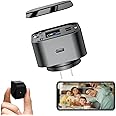
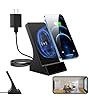
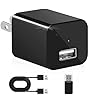
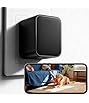
This item: Lizvie USB Charger Hidden Camera - 2.4G WiFi Spy Camera Charger 1080P - 170° Wide-Angle Motion Detection SD Storage App Remote Control Indoor for Home Safety.
$99.99
Get it by Saturday, Dec 27
In Stock
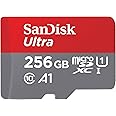
+
$36.99
Get it by Saturday, Dec 27
In Stock
Total price:Ìý$00
To see our price, add these items to your cart.
Choose items to buy together.
Videos for similar products
Product information
Additional Information
| ASIN | B0F6LLCY1C |
|---|---|
| Â鶹Çø Rank |
|
| Date First Available | April 27 2025 |
Feedback

Product Description


If the software does not automatically configure the device, do the following to configure it:
1.Configure Device:
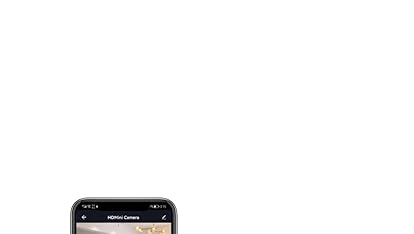
Download APP >> Plug in >> Tap "+" in the upper right corner inside the APP >> Add for the first time >> Select your device >> Tab Step 1 - Connect Camera Wifi (blinking - ) >> Default Password: 0123456789 (Confirm to use this WiFi and keep it connected) >> Return to APP >> Tab Step 2 - "List Camera to APP".
2.Remotely Control :
Setting >> network information >> Select the router SSID you need to add (support 2.4G WIFI)
Usage Issues
1. watch and download videos directly on the LizviePro App (note that the device will automatically loop);
2. Setting the time zone can be more accurate to ensure more complete video data recording;
3. videos can be downloaded directly from the APP to your phone or played in your APP;
4. To play the video on your computer, you need to use H.264 video converter to extract the SD card video file.
5. We recommend changing the default password of your device to ensure security. If someone visits your home and connects to your home WIFI with LizviePro on their phone, it will automatically synchronize the devices connected to the same WIFI within the APP.
PS: Please remove the lens protection film before use.


