









| Standing screen display size | 3.42 Inches |
|---|---|
| Processor | 16 MHz amd_a_series |
| RAM | 1 GB SRAM |
| Wireless Standard | Bluetooth |
| Brand | KEYESTUDIO |
| Series | Leonardo R3 |
| Item model number | KE-0011 |
| Operating System | Windows 10 |
| Product Dimensions | 6.85 x 5.3 x 0.42 cm; 58.97 g |
| Item dimensions L x W x H | 6.8 x 5.3 x 0.4 Centimetres |
| Colour | Leonardo R3 |
| Processor Brand | Microchip Technology |
| Number of Processors | 1 |
| Memory Type | DDR3 SDRAM |
| Voltage | 5 Volts |

- VIDEO
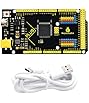
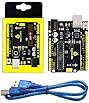
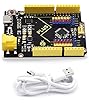
KEYESTUDIO Leonardo R3 Board with USB Cable for Arduino keyes
Image Unavailable
Image not available for
Colour:
Colour:
-

-
-
- To view this video, download
Frequently bought together
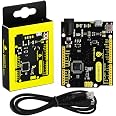
This item: KEYESTUDIO 5V Leonardo R3 ATmega32u4 Board with USB Cable Kit for Arduino Microcontroller MCU Project
$18.00
Get it by Tuesday, Feb 17
In Stock
+
$12.99
Get it by Sunday, Feb 15
In Stock
+![Arduino Leonardo with Headers [A000057] � ATmega32U4 Microcontroller, 16MHz, 20 Digital I/O Pins, 7 PWM, USB HID Support, Bui](https://images-na.ssl-images-amazon.com/images/I/713tpAB65zL._AC_UL116_SR116,116_.jpg)
$41.03
Get it by Sunday, Feb 15
In Stock
Total price:Ìý$00
To see our price, add these items to your cart.
Choose items to buy together.
Videos for similar products
Product information
Additional Information
| ASIN | B0786LJQ8K |
|---|---|
| Customer Reviews |
4.5 out of 5 stars |
| Â鶹Çø Rank |
|
| Date First Available | Dec 13 2017 |
| Manufacturer | keyes |
| Place of Business | shenzhen, guangdong 518109,CN |
Warranty & Support
Feedback

Product Description

KEYESTUDIO Leonardo R3 Board
KEYESTUDIO Leonardo R3 is an ATmega32u4 microcontroller board.
The Leonardo differs from other Arduino boards using separate USB-Serial chip in that the ATmega32u4 has built-in USB communication, eliminating the need for a secondary processor.
The Leonardo is a great because you can use it to emulate a keyboard/mouse/joystick, which is handy for many projects.
Power Supply:
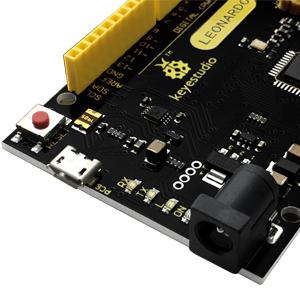
The board has 20 digital input/output pins (of which 7 can be used as PWM outputs), 12 analog inputs, a 16MHz crystal oscillator, a micro USB connection, a power jack, an ICSP header, and a reset button.
The keyestudio Leonardo can be powered via the micro USB connection, or via an external power supply jack (DC 7-12V) or even with female headers Vin /GND (DC 7-12V).

Memory Store:
The Atmega32u4 of KEYESTUDIO Leonardo R3 Board has 32KB of flash memory for storing code (of which 4 KB is used for the bootloader), 2.5KB of SRAM and 1KB of EEPROM (which can be read and written with the Eeprom library).

Board Model:
Neat little Leonardo r3 board works just like the original!
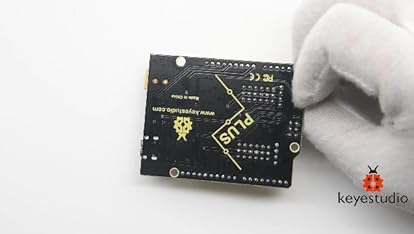
Another great Arduino alternative. It works fine and the quality is good. The yellow and black theme is unique.

Technical Specification:
- Microcontroller: Atmega32u4
- Operating Voltage:5V
- Input voltage (recommended): DC7-12v
- Digital I/O Pins: 20 (of which 7 provide PWM output)
- PWM Digital I/O Pins: 7
- Analog Input Pins: 12
- DC Current per I/O Pin: 40mA
- DC Current for 3.3V Pin: 50mA
- Flash Memory: 32KB (ATmega32u4) of which 4KB used by boot loader
- SRAM: 2.5 KB (ATmega32u4);
- EEPROM: 1 KB (ATmega32u4);
- Clock Speed: 16MHz
- LED_BUILTIN: D13
- Digital I/O pins: D0-D13 and A0-A5 (D18-D23); the ICSP pins can be used as digital pins.
- Analog Inputs: A0-A5, A6-A11, that is, D4 (A6)�D6 (A7)�D8 (A8)�D9 (A9)�D10 (A10) and D12 (A11)
- PWM pins: D3, D5, D6, D9, D10, D11 and D13.
- External Interrupts: D3(interrupt0);D2(interrupt1); D0 (interrupt2), D1(interrupt3), D7(interrupt4).
- Serial communication: D0 (RX) and D1 (TX)

Regarding how to use:
Select the Arduino Board
Open the Arduino IDE, you’ll need to click the “Tools�, then select the Board that corresponds to your Arduino.
If you don't choose the correct development board type, it will cause the compilation to fail to transfer.
So this is a place that needs special attention.
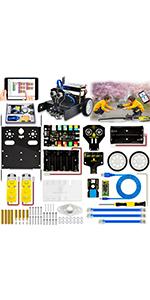
KEYESTUDIO Coding KEYBOT Robot Building STEM Smart Car Kit for Arduino
|

KEYESTUDIO W5500 Ethernet Shield with USB cable for Arduino
|
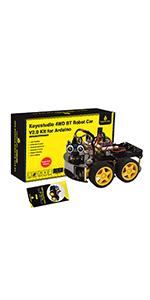
KEYESTUDIO 4WD Robot Car Starter Kit for Arduino
|
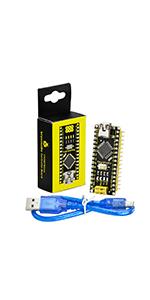
KEYESTUDIO Nano Board +USB Cable for Arduino Nano V3
|
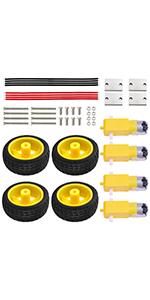
KEYESTUDIO DC Motor Wheel Kit for Arduino Robot Smart Car DIY
|
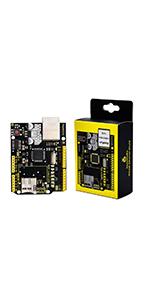
KEYESTUDIO W5100 Ethernet Shield for Arduino Mega 2560 Controller R3
|
|
|---|---|---|---|---|---|---|
|
|
|
|
|
|
|
|
| Customer Reviews |
— |
56
|
— |
117
|
— |
111
|
| Features | This is quite possibly the best electronics STEM kit for kids to understand how things are assembled and how computers and robots work with programming. | It is the equivalent of a R3 controller with a built in Wiznet 5500 ethernet module. | Powerful Motor Driver Shield, Bluetooth 4.0 Supporting Android, iOS APP, light follow, obstacle avoidance modes,etc. | This is a small and breadboard-friendly board based on the ATmega328. | Comes with 4 x TT Motor 3-6V Uniaxial DC Gear Motor with 4X Robot Wheels for DIY | Based on the Wiznet W5100 ethernet chip, this ethernet shield will allow Arduino Mega 2560/R3 to connect to the internet. |
| for Arduino | ✓ | ✓ | ✓ | ✓ | ✓ | ✓ |
Sponsored


