


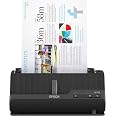

| Brand | Epson |
|---|---|
| Manufacturer | Epson |
| Place of Business | 500 STAPLES DR FRAMINGHAM MA 01702-4474 United States of America |
| Model | B11B272202 |
| Model Name | WorkForce ES-C220 |
| Part Number | B11B272202 |
| Hard Disk Size | 20 GB |
| Printer Media Size Maximum | 8.5" x 120" |
| Scanner Resolution | 300 |
| Has Greyscale | 24-bit |
| Light Source Type | LED |
| Number of Items | 1 |
| Wattage | 10 watts |
| Batteries included | No |
| Batteries Required | No |
| Connector Type | USB |
| Media Type | USB |
| Does it contain liquid? | No |
| Manufacturer | Epson |
| Item model number | B11B272202 |
| Product Dimensions | 10.41 x 29.72 x 12.45 cm; 1.75 kg |
| ASIN | B0C8VKWMDR |
Epson Workforce ES-C220 Compact Desktop Document Scanner with 2-Sided Scanning and Auto Feeder (ADF) for PC as Well as Mac
Purchase options and add-ons
| Scanner type | Document |
| Brand | Epson |
| Model name | WorkForce ES-C220 |
| Connectivity technology | USB |
| Product Dimensions | 10.4D x 29.7W x 12.5H Centimetres |
| Resolution | 300 |
| Item weight | 1.75 kg |
| Wattage | 10 watts |
| Colour depth | 24-bit output bpp |
| Standard sheet capacity | 20 |
About this item
- Ultra compact space-saving design — saves 60% of desk space (1) in virtually any environment
- Quickly scan two sides at once — single-step technology captures both sides of a sheet of paper in one pass as fast as 30 ppm/60 ipm (2)
- Easily scan in batches — robust 20-page Auto Document Feeder accommodates stacks of paper of varying sizes
- Remarkable versatility — scan most document types, from standard paper to cards and passports (5), using the flexible scan path
- Enjoy amazing image quality — intelligent image adjustments with automatic cropping, blank page deletion, background removal, dirt detection, paper skew correction and staple protection
- Powerful software included — easy scanning with intuitive Epson ScanSmart software (3); preview, email, upload and more; automatic file name suggestion and OCR help save time
- Convenient portability — small, lightweight design
- A confident choice — from the #1 best-selling scanner brand at retail (4)
Frequently bought together

Brand in this category on 鶹
Product description
A compact modern wonder, the WorkForce ES-C220 keeps things simple with its intuitive design and exceptional flexibility. With the ES-C220, you can organize stacks of documents and make keeping piles of paperwork for your records a thing of the past. Ideal for the home or office, this easy-to-use scanner is the definition of innovation, saving 60% of desk space (1) and scanning two sides at once as fast as 30 ppm/60 ipm (2). Offering a robust solution to managing your workflow, the included Epson ScanSmart software (3) allows you to preview, email and upload your scans. In addition, help save valuable time with automatic file name suggestion for streamlined file management. The scanner features a 20-page Auto Document Feeder that makes it easy to scan in batches. In addition, the versatile ES-C220 scans papers of varying sizes up to 8.5" x 120". Maintain amazing quality with intelligent image adjustments such as cropping, paper skew correction and dirt detection. From the #1 best-selling scanner brand at retail (4), the ES-C220 proves bigger isn’t always better.
1. In vertical path scanning position compared to Epson WorkForce ES-400 II with trays extended. | 2. Based on letter-sized scans at 300 dpi in Black-and-White, Grayscale or Colour Mode. |3. Requires Internet connection for Epson ScanSmart software download and installation on a connected Windows PC or Mac. | 4. Source: The NPD Group, Inc., Retail Tracking Service, U.S. & Canada, Scanners, Aug. 2021 – Jul. 2022. | 5. Optional carrier sheet required.
From the manufacturer
WorkForce ES-C220 Compact Desktop Document Scanner
Keep your office space clutter-free with this easy organizer.
-
Ultra compact, space-saving design
Saves 60% of desk space¹ in virtually any environment
-
Quickly scan two sides at once
Single-step technology captures both sides of a sheet of paper in one pass as fast as 30 ppm/60 ipm²
-
Easily scan batches of documents
Robust 20-page Auto Document Feeder accommodates stacks of paper of varying sizes
-
Scan most document types
Accommodates standard paper, cards, passports⁵ and more using the flexible scan path
-
Enjoy outstanding image quality
Intelligent image adjustments with automatic cropping, blank page deletion and more
Compare Epson Document Scanners
Product details
- Product Dimensions : 10.41 x 29.72 x 12.45 cm; 1.75 kg
- Manufacturer : Epson
- ASIN : B0C8VKWMDR
- Item model number : B11B272202
- Country/Region of origin : Canada
- Customer Reviews:
Product information
Technical Details
Additional Information
| Date First Available | Sept. 19 2023 |
|---|---|
| Customer Reviews |
4.3 out of 5 stars |
| 鶹 Rank |
|
Feedback
Top Brand: Epson
Brands in this category on 鶹
Customer reviews
Customers say
Generated from the text of customer reviewsSelect to learn more
Top review from Canada
There was a problem filtering reviews. Please reload the page.
- Reviewed in Canada on April 15, 2024Verified PurchaseI bought this to scan lead pencil drawings (for an animation so LOTS of pages) and the software said the pages were blank (no idea why) and would just not scan. So I tried scanning with Image Capture (Apple's native scanning software) and it worked just great. You don't get all the Epson Scanner software features but I found I don't need them. Super fast, great images, perfect!
Top reviews from other countries
-
Aida Espinoza CastroReviewed in the United States on January 30, 20265.0 out of 5 stars Excelente compra
Verified PurchaseMuy bueno
tnekReviewed in the United States on October 14, 20232.0 out of 5 stars Dissapointed
Revised...
For personal use I have been scanning documents/pictures for years and have scanned thousands of documents.
The ES-C220 has some good points as well as bad. For someone who mostly does single page (1 or 2 sided). This scanner is fine. It scans fast, reasonable quality and small desk space.
The searchable PDF option works fairly well and IMO needed.
For someone who does a far to a large amount of scanning, I would look at different models or brands.
I have done scanning for the last 10 to 12 years. Mostly documents and a fair amount of pictures. I batch scan and when I do need to scan I am using the scanner for 2 to 4 hours at a time.
The issues for me.
The build has some areas that really need a better solution. Some of the buttons/sliders seem poor. The document support is flimsy and is a fair (not good) document support. Multiple page scans and longer page scans does poor job and usually requires one needing to hold the pages while scanning.
The scan quality is 'choppy', that is there are ghost speckles in the scans. I can't get a real clean scan of the documents. The page fold areas like the folds when receiving a document through the mail will show spots resulting from the shadow area in the folds of the pages.
There are speckles or even blotches from the image/writing on the reverse sides of the pages. I have adjusted the options for cleaning up the images without much success as to image quality.
SmartScan software for me has a lot to be desired. There are a lot of options but that involves a lot of 'clicking' or drilling down through options to get the solution one is looking for. In particular, once one has the settings they want and certain pages are told not to display it still takes multiple clicks to get an end result. What I want is the SmartScan to scan, ask for a title and then produce the document. That should maybe be a 1 or 2 click process.
What I want is a tool that will scan easily and let me get on with my day. SmartScan does not have that capability.
I have an EPSON DS-510 which uses Epson Scan and the newer version. This software is NOT at all Windows 11 friendly. Which is the reason to get the ES-C220. My older Epson outputs excellent PDF's and Pictures.
Bottom Line... For someone who whats to get a good clean scan without fussing around I can not Recommend this Printer.
For a person who doesn't mind some fussing around making extra clicks to get the result and is OK with a good but not great scan. The ES-C220 will be and OK solution.
Product summary presents key product information
Keyboard shortcut
Shift
+
Alt
+
opt
+
D
Product Summary: Epson Workforce ES-C220 Compact Desktop Document Scanner with 2-Sided Scanning and Auto Feeder (ADF) for PC as Well as Mac
From Epson
About this Item
- Ultra compact space-saving design — saves 60% of desk space (1) in virtually any environment
- Quickly scan two sides at once — single-step technology captures both sides of a sheet of paper in one pass as fast as 30 ppm/60 ipm (2)
- Easily scan in batches — robust 20-page Auto Document Feeder accommodates stacks of paper of varying sizes
- Remarkable versatility — scan most document types, from standard paper to cards and passports (5), using the flexible scan path
- Enjoy amazing image quality — intelligent image adjustments with automatic cropping, blank page deletion, background removal, dirt detection, paper skew correction and staple protection
- Powerful software included — easy scanning with intuitive Epson ScanSmart software (3); preview, email, upload and more; automatic file name suggestion and OCR help save time
- Convenient portability — small, lightweight design
- A confident choice — from the #1 best-selling scanner brand at retail (4)
Product description
1. In vertical path scanning position compared to Epson WorkForce ES-400 II with trays extended. | 2. Based on letter-sized scans at 300 dpi in Black-and-White, Grayscale or Colour Mode. |3. Requires Internet connection for Epson ScanSmart software download and installation on a connected Windows PC or Mac. | 4. Source: The NPD Group, Inc., Retail Tracking Service, U.S. & Canada, Scanners, Aug. 2021 – Jul. 2022. | 5. Optional carrier sheet required.
Feedback
Did you find this product summary feature useful?

