Beast Games. Strong. Smart. Coming soon. Prime.
To see product details, add this item to your cart. You can always remove it later.
Ships from
Ships from
Sold by
Returns
Returnable until 31 Jan 2026
For the 2025 holiday season, eligible items purchased between 1 November and 31 December 2025 can be returned until 31 January 2026.
Payment
Secure transaction
Your transaction is secure
We work hard to protect your security and privacy. Our payment security system encrypts your information during transmission. We don’t share your credit card details with third-party sellers, and we don’t sell your information to others. Learn more
Added to

Sorry, there was a problem.

There was an error retrieving your wish lists. Please try again.

Sorry, there was a problem.

List unavailable.
  • 4 VIDEOS
TOBENONE 24 Months Warranty InformationMerchant Video
  • USB C Docking Station Dual 4K Monitor, TOBENONE Laptop Docking Station for MacBook Pro/Air, 15 in 2 USB-C Dock with 2 HDMI Port, 7 USB, SD&Micro SD, Gigabit Ethernet, 87W PD 3.0, Audio/Mic
  • To view this video, download

Safety and product resources

USB C Docking Station Dual 4K Monitor, TOBENONE Laptop Docking Station for MacBook Pro/Air, 15 in 2 USB-C Dock with 2 HDMI Port, 7 USB, SD&Micro SD, Gigabit Ethernet, 87W PD 3.0, Audio/Mic

4.3 out of 5 stars (1,512)

To see product details, add this item to your cart. You can always remove it later.
Save 20% at checkout Terms
on any 2 Terms

Purchase options and add-ons

About this item

  • 15-IN-2 Powerful Expansion: TobenONE MacBook Pro dock expands to 2 x 4K@30Hz|60Hz HDMI ports, 4 x USB 3.0, 1 x USB-C, USB C PD 3.0, 2 x USB 2.0 for wireless keyboard and mouse, 3.5mm Audio/Mic, SD/TF reader and RJ45 Gigabit Ethernet. It allows you to connect up to 13 devices at the same time, so you can one-step build your completely efficient workstation via this one small mac dock. Plug and play, NO driver needed
  • Designed for Your MacBook: Not for Windows laptop and MacBook with M1/M2/M3 chip (non-Pro/Max) can only extend one external monitor. This MacBook Pro Docking Station is fully compatible with 13'' 2018-2020 MacBook Air Intel chip; 13'' 2016-2020 MacBook Pro Intel chip; 14''/16'' 2021 MacBook Pro M1 Pro/M1 Max; 15'' 2016-2019 MacBook Pro; 14''/16'' 2023 MacBook Pro M2 Pro/M2 Max/M3 Pro/M3 Max; 14''/16'' 2024 MacBook Pro M4/M4 Pro/M4 Max; 13''/15'' 2025 MacBook Air M4. NOTE: MacBook with M1/M2/M3 chip can only extend 1 monitor due to the limit of M1/M2/M3 chip
  • Versatile Dual 4K Extend: TOBENONE USB C Dock for Mac offers High-Resolution up to 4K@60Hz dual HDMI Output. You can easily drive two 4K@60Hz/4K@30Hz monitors in MIRROR mode or EXPANDED mode, making it to do more work in less time! Use it at the home, office, or conference room, to enjoy a more efficient and better life
  • Up to 7 USB Ports with efficient and faster data transmission: This dual hdmi docking station offers 4 USB 3.0, 1 USB C, and 2 USB 2.0 ports for connecting multiple USB peripheral devices such as U disk, hard drives, keyboard, mouse, printer and more. Allow you to Say goodbye to not having enough USB ports and slow data transfers, and far away from the trouble of plugging and unplugging your USB devices repeatedly
  • Strong Power Delivery to Mac: The dual monitor docking station supports up to 100W power input and offers up to 87W safe and fast charging for connected MacBook Pro/Air. Simply connect MacBook's power adapter to the USB-C PD 3.0 port, then securely charge your laptop while connecting multiple peripherals. NOTE: Charger NOT Included

Additional details

Verified by Transparency
The brand applies a unique Transparency code to each item. We verify this code before shipping. You can verify this code using the 鶹 Shopping app to confirm that it comes from the brand and view additional product details.
Verified by Transparency
Each item has a unique code that we verify before shipping. Learn more

Frequently bought together

This item: USB C Docking Station Dual 4K Monitor, TOBENONE Laptop Docking Station for MacBook Pro/Air, 15 in 2 USB-C Dock with 2 HDMI Port, 7 USB, SD&Micro SD, Gigabit Ethernet, 87W PD 3.0, Audio/Mic
$149.99
Get it by Friday, Jan 2
In Stock
Sold by Hency and ships from 鶹 Fulfillment.
Total price:$00
To see our price, add these items to your cart.
Details
Added to Cart
These items are shipped from and sold by different sellers.
Choose items to buy together.

Product information

Technical Details

Brand ‎Tobenone
Manufacturer ‎TOBENONE
Model ‎UDS013
Part Number ‎TBN-UDS013
Hardware interface ‎3.5mm Audio, Ethernet, HDMI, USB 2.0, USB 3.0, USB 3.0 Type C
Compatible Devices ‎MacBook Pro, Air
Wattage ‎87 watts
Batteries Required ‎No
Data transfer rate ‎1 Gigabits Per Second, 5 Gigabits Per Second
Number of Ports ‎15
Total USB Ports ‎7
Includes rechargable battery ‎No
Manufacturer ‎TOBENONE
Item model number ‎UDS013
Product Dimensions ‎7.11 x 7.87 x 12.7 cm; 481.94 g
ASIN ‎B08P5GXPHH

Additional Information

Date First Available Feb. 3 2021
Customer Reviews
4.3 out of 5 stars (1,512)

4.3 out of 5 stars
鶹 Rank

Feedback

USB C Docking Station Dual 4K Monitor, TOBENONE Laptop Docking Station for MacBook Pro/Air, 15 in 2 USB-C Dock with 2 HDMI Port, 7 USB, SD&Micro SD, Gigabit Ethernet, 87W PD 3.0, Audio/Mic


Found a lower price? Let us know. Although we can't match every price reported, we'll use your feedback to ensure that our prices remain competitive.

Where did you see a lower price?

Price Availability
/
/
/
/
Please sign in to provide feedback.
Brief content visible, double tap to read full content.
Full content visible, double tap to read brief content.

Videos for similar products

Safety and product resources

Safety documents


From the brand


Product Description

docking station

An UPDATED USB C docking station dual monitor for MacBook Pro/Air

TOBENONE universal docking station with a unique design allows you to connect two 4K displays via two HDMI ports without any driver. Plug and play. Easily turn your MacBook into an ultra HD 4K dual extended display workstation. Makes your work more convenient and more effective!

From Super-Speed charging to high-definition media display, ultra-fast data transfer to crystal clear audio output, and access files from universal SD and TF memory card—This UPDATED MacBook dock can do it all.

Note:

1. The cable that connects the laptop docking station dual monitor to the Laptop is about 3.3ft.

2. Special design for MacBook, not for Windows. MacBook with M1/M2/M3 chip only can extend one monitor due to the limit of the M1/M2/M3 chip.

3. The power charger is NOT included.

4. The USB C port on the front of the dock is only for data transfer, not for display. So this MacBook docking station USB C cannot work with USB C monitors.

macbook air docking station dual monitor

This MacBook Pro dock station supports up to 100W input and offers a max 87W safe and quick charging for your compatible MacBook Pro/Air.

Please connect the 65W power supply to the PD port providing up to fast pass-through charging for your laptop—all while retaining the full functionality of the vertical Dock’s other ports.

usbc docking station macbook pro

This MacBook air docking station dual monitor is equipped with 4*USB 3.0, 2*USB 2.0, and 1 USB Type C port for all of your USB devices (keyboard, mouse, webcam, etc). You no longer worry about the lack of USB ports

This allows you to access many files at the same time such as transfer movies, photos, and music. Easily achieve stable and efficient data transfer.

tobenone usb-c docking station

It is a space-saving USB C Dual 4K Monitor Docking Station for MacBooks that has a light and compact design, you can always be ready to take it away. And the vertical design also allows more desk space to work. It stands up so it doesn't take up a large footprint on your desk.

A powerful portable USB C Dock with 2 HDMI is an excellent accessory for expanding your workspace.

macbook dock usb c

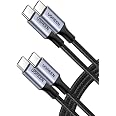
USB-C docking station convert the USB C port into 15 ports via a DUAL USB C cable

6 x USB A: 4*USB 3.0, 2*USB 2.0

2 x HDMI: HDMI 1 and HDMI 2 resolution up to 4K@60Hz

1 x USB-C 3.0: only for data transfer, not for display

1 x Gigabit Ethernet: Speed up to 1000Mbps

2 x USB-C: Connect the MacBook Pro/Air

1 x PD3.0: Support max 100W input, 87W output

1 x 3.5mm Audio/Mic: support Microphone and headphone

1 x SD/TF reader: Support reading and writing at the same time

macbook dock usb c

The Gigabit Ethernet port supports 1000Mbps/100Mbps/10Mbps. Faster and more reliable than WIFI. Whether during working or gaming, the screen runs very smoothly without lag.

laptop docking station dual monitor 2 hdmi

This USB C Laptop Docking Station has a 3.5mm Audio&Microphone port. Just put in the wired headset/Microphone, then you could enjoy the high-definition sound quality.

asus docking station for laptop

SD and microSD card slots support virtually all SD card formats for access to photos and other media files. Can be read and written at the same time. Perfect for Photographers, Designers, Video editors, etc.

macbook usb c hub

TOBENONE always insists on providing a perfect and efficient solution for users' work/life! Meet all your needs with one hub, creating more value for work and life.

This USB C Dock connects your Mac and everything with only one dual USB-C cable! It's equipped with all common interfaces, whether it is data transmission, video expansion, image transmission, or audio transmission, it can work excellently! Reasonable port design, let the desktop farewell to mess! It is the best choice for designers, programmers, and other workers.

Let it create a powerful and efficient workstation for you, without extra drivers or installation requirements, just plug and play!

ivanky macbook docking station

Strong Compatibility:

Compatible:

  • Retina 13-inch 2018/2019/2020 MacBook Air Intel Chip, 13-inch 2025 MacBook Air M4 Chip, 15-inch 2025 MacBook Air M4 Chip,
  • 13'' 2016/2017/2018/2019/2020 MacBook Pro Intel Chip
  • 14'' 2021 MacBook Pro Apple M1 Pro or M1 Max; 2023 MacBook Pro Apple M2 Pro or M2 Max; 2023 MacBook Pro Apple M3 Pro or M3 Max; 2024 MacBook Pro Apple M4 Pro or M4 Max; 2024 MacBook Pro Apple M4
  • 15" 2016/2017/2018/2019 MacBook Pro Intel Chip
  • 16" 2021 MacBook Pro Apple M1 Pro or M1 Max; 2023 MacBook Pro Apple M2 Pro or M2 Max; 2023 MacBook Pro Apple M3 Pro or M3 Max; 2024 MacBook Pro Apple M4 Pro or M4 Max; 2024 MacBook Pro Apple M4

NOTE: The below models ONLY can get ONE external monitor!!! If you are not sure if your MAC is compatible, ask us!

  • 13" 2020 MacBook Pro with M1 chip
  • 13" 2022 MacBook Pro with M2 chip
  • 13" 2020 MacBook Air with M1 / M2 chip
  • 14" 2023 MacBook Pro with M3 chip
  • 15" 2023 MacBook Air with M2 chip

Incompatible:

  • NOT suitable MacBook Pro before 2015(included 2015), MacBook Air before 2018(included 2018); Mac mini, iMac, Mac Pro, Mac Studio
  • NOT All Windows laptop

Dual Display USB C Docking Station for Mac

More Questions You May Want to Know:

1. If USB ports are not working, what should I do?

1> Please follow the below steps to check whether can work or not: Remove all cables-Reboot MacBook-attach the dual USB C cable to the dock and MacBook-attach the power supply to the PD port-attach USB devices

2> If not fixed, please try other USB ports to check the USB devices whether can work

3> If USB devices can work well, to exclude compatibility, please use other USB devices to test whether the USB port can work well or not

2. How to set up dual monitors and What should I do if two monitors cannot be used at the same time?

1>Ensure laptop is macOS system. (Note: macOS with M1/M2/M3 chip only can extend 1 monitor)

2> Attach the MacBook's USB C power supply to the dock's PD port 3> Add what you want to add, such as u disk, projector, monitors, keyboard, etc

Note: Add your devices one by one can help to protect the dock and your laptop

3. If Network ports are not working, what should I do?

1>Restart the laptop, try to update the latest Ethernet driver

2>Please try restarting the router and turning off Wi-Fi to see if it works

4. what should I do If the connected monitor not able to give full screen

1>Adjust display resolution

2>Check for adapter and cable issues

3> Reset display settings