-
-
-
-
-
-
4+ -
VIDEO
-
-
-
Image Unavailable
Image not available for
Colour:
-

-
-
-
-
-
-
DSD TECH SH-C31A USB to CAN AdapterDSD TECH Direct
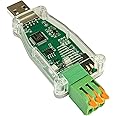
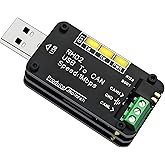
DSD TECH SH-C31A USB to CAN Adapter with FD Support Based on Canable 2.0
Purchase options and add-ons
| Brand | DSD TECH |
| Hardware interface | USB |
| Colour | Green |
| Compatible devices | Laptop, Desktop, Tablet |
| Data link protocol | USB |
| Data transfer rate | 5 Megabits Per Second |
| Item weight | 0.02 Kilograms |
| UPC | 794251080989 |
| Global Trade Identification Number | 00794251080989 |
| Manufacturer | DSD TECH |
About this item
- DSD TECH: DSD TECH focuses on the development of communication connection devices such as USB/Serial/Wireless. We have served more than 100,000 customers in Europe, North America and Japan.
- Open Source Hardware Plan: SH-C31A is derived from the open source hardware project Canable 2.0. As a good quality hardware manufacturer, DSD TECH hopes to make some contributions to the development of open source hardware. All documentation of this product (schematics, BOM lists, Gerb files) is publicly available on the DSD TECH website.
- Based ON CANable 2.0:The SH-C31A is based on CANable 2.0, but offers a better housing and protection circuitry. The SH-C31A also supports CAN and CAN-FD
- Firmware: Built-in candlelight firmware at the factory. In this firmware mode, the SH-C31A cannot support CAN FD frames. If you need to use the CAN FD function, flash the firmware to slcan firmware.
- Customer Support: DSD TECH provides permanent technical support and 1 year product replacement service for this USB to CAN FD Adapter. All questions will be answered within 1 working day.
Frequently bought together

Explore more from across the store
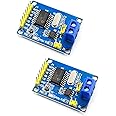
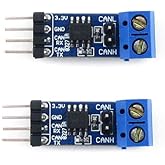
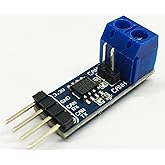
Waveshare SN65HVD230 CAN Board Connecting MCUs to CAN Network Features ESD Protection Communication Evaluation Development Board 3.3V [2 PCS]FREE Shipping by Âé¶¹ÇøGet it by Friday, Mar 27Only 2 left in stock.
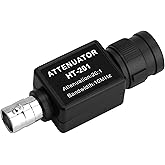
Ht201 Oscilloscope 20:1 Passive Attenuator 300V Max Input Compatible with Pico for Automotive Fuel Injector Ignition Waveform MeasurementFREE Shipping by Âé¶¹ÇøGet it by Friday, Mar 27Only 2 left in stock.
Waveshare SN65HVD230 CAN Board Connecting MCUs to CAN Network Features ESD Protection Communication Evaluation Development Board 3.3VFREE Shipping by Âé¶¹ÇøGet it by Tuesday, Mar 24Only 5 left in stock.
Product Description
Model:SH-C31A
DSD TECH SH-C31A USB to CAN Adapter an open-source (Canable 2.0 based) USB adapter supporting CAN and CAN-FD. Features enhanced housing, public schematics/BOM, and reflashable firmware (e.g., slcan for CAN FD). Ideal for automotive diagnostics, industrial monitoring, and embedded development. Includes Python library compatibility.
Fully Open Design & Documentation
Based on Canable 2.0 with all schematics, BOM, and Gerber files publicly available on our website. Customize, inspect, or contribute ¨C we champion open-source hardware innovation.
High-Speed CAN & CAN-FD Ready
Supports classic CAN 2.0A/B (1Mbps) AND next-gen CAN-FD for faster data streaming. Flash to slcan firmware to unlock CAN-FD capabilities.
Multi-Firmware Flexibility & Rugged Design?
Flash compatible firmware (like slcan) for CAN-FD or other needs, enabling seamless integration with diverse CAN tools (PCAN, Kayak, Python). Ruggedly housed for reliable performance during updates and use.
Specification
| ?Model? | SH-C31A |
| Interface | USB Type-A , 3-pin Terminal Block |
| Chipset | SIT1051T |
| Supported Protocols | CAN 2.0A, CAN 2.0B, CAN FD (Flexible Data Rate) |
| Max Baud Rate | 1 Mbps (CAN 2.0), Higher speeds (CAN FD) |
| Firmware | Pre-installed: Candlelight (supports CAN 2.0) Flashable: slcan (enables CAN FD) |
| Compatibility | socketCAN via slcand (Linux) ; Cross-platform Python library |
| Open-Source Docs | Schematics, BOM, Gerber files available on DSD TECH website |
| Physical Design | Enhanced housing with protection circuitry (based on Canable 2.0) |
| Included | 1¡Á SH-C31A Adapter, 1¡Á User Manual |
Model:SH-C31A
|
Model:SH-C31G
|
Model:SH-C30A
|
Model:SH-C30G
|
|
|---|---|---|---|---|
|
Add to Cart
|
Add to Cart
|
Add to Cart
|
Add to Cart
|
|
| Customer Reviews |
4.2 out of 5 stars 58
|
3.6 out of 5 stars 16
|
4.4 out of 5 stars 108
|
4.6 out of 5 stars 55
|
| Isolation | no data | ✓ | ✓ | no data |
| Interface | USB-A | USB-B | USB-B | USB-A |
| Base ON | Canable 2.0 | Canable 2.0 | Canable 1.0 | Canable 1.0 |
| CAN FD | ✓ | ✓ | no data | no data |
From the brand
-
Trusted by Google, Panasonic,NASA, and 100,000+ global clients, our compact engineering team crafts industrial-grade USB/Serial/Wireless solutions. Every device comes with long-term support and 1 year product replacement.
-
20+ USB-UART Adapters: Full-Scale Solutions.
-
Versatile WiFi/Bluetooth/USB to RS485 Solutions
-
20+ RS232 Products: RJ45/RJ12/DB9 Covered.
-
Commit to Open Hardware Co-Creation
Product details
- Product Dimensions : 7 x 3 x 1 cm; 20 g
- Manufacturer : DSD TECH
- ASIN : B0CDGD1FSH
- Item model number : SH-C31A
- Country/Region of origin : China
- Customer Reviews:
Product information
| Hardware Interface | USB |
|---|---|
| Compatible Devices | Laptop, Desktop, Tablet |
| Data Link Protocol | USB |
| Data Transfer Rate | 5 Megabits Per Second |
| Item Weight | 0.02 Kilograms |
|---|
| Color | Green |
|---|
Feedback
| Brand | DSD TECH |
|---|---|
| UPC | 794251080989 |
| Global Trade Identification Number | 00794251080989 |
| Manufacturer | DSD TECH |
| Mfr Part Number | SH-C31A |
| Model Number | SH-C31A |
| Unit Count | 1.0 count |
| Country of Origin | China |
| Warranty Description | 1 year warranty |
| Âé¶¹Çø Rank |
|
| ASIN | B0CDGD1FSH |
| Customer Reviews |
4.2 out of 5 stars |
Brands in this category on Âé¶¹Çø
Customer reviews
Customers say
Generated from the text of customer reviewsSelect to learn more
Top reviews from Canada
There was a problem filtering reviews. Please reload the page.
- Reviewed in Canada on February 26, 2025A great USB to CAN adapter for anyone needing one. It's high quality and will definitely last if taken relatively good care of.

- Reviewed in Canada on January 20, 2024Verified PurchaseAs delivered, this product is a 3 out of 5. It is not a plug and play experience on Windows (I did not test under Linux). You must re-flash the device with the official slcan firmware on the device before you can use it in a Windows environment. I would give five stars if I didn't have to an hour or so figuring out why the device was not working. Splitting the difference, I give the device four stars.
The unit I received had a version of candlelight firmware that I couldn't get working. The red LED, and a single green LED would light. The device would have a yellow triangle next to it in the Device Manager. It would not be recognized by Cangaroo. I tried the gs_can drivers, various drivers from the canable.io documentation, and nothing seemed to work. There always seemed to be some fault in the USB connection.
The "web" updater other reviewers are referring to did not seem to work for me.
Here is how I resolved the problems and got the device working:
-Download the most recent slcan build for Canable 2. The file will be called "canable2-b158aa7.bin" and can be found at canable.io/builds/canable2/slcan/. (This is accurate as of January 19, 2024. Newer builds may be available when you are reading this with different file names.)
-Download and install STM32CubeProg from ST's website. It is free.
-Set the "BOOT" switch on the SH-C31A to the "ON" (down) position and plug it in to the PC.
-STM32CubeProg will detect the adapter connected in DFU mode.
-"Connect" to the device using the green Connect button in STM32CubeProg.
-Load the .bin firmware file into STM32CubeProg and download the file to the SH-C31A using the default settings.
-When complete, "Disconnect" from the device in STM32CubeProg by pressing Disconnect.
-Remove the device from your USB port, set the "BOOT" switch back to the "OFF" (up) position.
-Plug the device back into USB and it will be recognized as a COM port.
No driver installation is required. It will be instantly recognized in Windows, and visible in Cangaroo's adapter selection. The red LED and both green LEDs should light immediately when the device is plugged in.
In terms of performance with the correct firmware, the unit is excellent and I'm very pleased with it. It's an easy 5 stars. The form factor is decent enough for occasional use, but I would have preferred a female connector for a USB cable, instead of having the whole device plug into a USB port, making it awkward to use with a laptop in a vehicle. The removable terminal block connector for the CAN connection itself is great.
- Reviewed in Canada on August 30, 2025Verified PurchaseUnfortunately, for my application it does not connect. Also, the CAN-BUS connectors are not very secure.
- Reviewed in Canada on February 26, 2025Required a CAN bus interface for the first time for training. This device was easy to update, to configure for a two device network.
I was able to access a forward radar sensor used in Chrysler Chargers. A long way to go but this CAN bus interface works so far.
Top reviews from other countries
-
JohnReviewed in Spain on February 1, 20255.0 out of 5 stars Adaptador USB a bus CAN ideal para proyectos electr¨®nicos
Adaptador USB a bus CAN que es ideal para proyectos electr¨®nicos, en mi caso lo uso para leer los datos del bus y hacer llamas en el bus, junto a dos Arduinos que cuentan con sensores. Con lo cual logro hacer una peque?a red CAN de 3 dispositivos donde puedo controlar sin problema el estado de los LEDs de salida en el pin 13 del Arduino, as¨ª como la lectura de sensores de temperatura a distancia. Para pruebas r¨¢pidas es muy aconsejable. Su conector de 3 pines se puede retirar con facilidad del adaptador, con lo cual se puede desconectar del bus CAN el adaptador en cualquier momento que uno lo necesite seg¨²n las pruebas lo requieran. Funciona sin ning¨²n y de manera correcta en mis proyectos con Arduino.
Adaptador USB a bus CAN que es ideal para proyectos electr¨®nicos, en mi caso lo uso para leer los datos del bus y hacer llamas en el bus, junto a dos Arduinos que cuentan con sensores. Con lo cual logro hacer una peque?a red CAN de 3 dispositivos donde puedo controlar sin problema el estado de los LEDs de salida en el pin 13 del Arduino, as¨ª como la lectura de sensores de temperatura a distancia. Para pruebas r¨¢pidas es muy aconsejable. Su conector de 3 pines se puede retirar con facilidad del adaptador, con lo cual se puede desconectar del bus CAN el adaptador en cualquier momento que uno lo necesite seg¨²n las pruebas lo requieran. Funciona sin ning¨²n y de manera correcta en mis proyectos con Arduino.5.0 out of 5 stars
JohnAdaptador USB a bus CAN ideal para proyectos electr¨®nicos
Reviewed in Spain on February 1, 2025
Images in this review
-
ViperReviewed in Japan on April 7, 20255.0 out of 5 stars °ä´¡±·Í¨ÐÅ״̬¤ÎÈ·ÈϤËÀûÓÃ
Verified Purchase³¢±õ±·°³Ò4³Ý¤Î°ä´¡±·Í¨ÐÅ״̬ȷÈÏÓäËÀûÓÃ
ͨÐÅÄÚÈݤˤĤ¤¤Æ¤ÎÈ¡µÃ¤Ë¤Ä¤¤¤Æ¤ÏÎÊÌâ¤Ê¤¯³öÀ´¤Þ¤·¤¿¡£
-
CardedonReviewed in Italy on January 27, 20255.0 out of 5 stars Ottimo convertitore
Ho preso questo adattatore da USB a CAN per un progetto che sto preparando da collegare alla mia auto, ed ¨¨ stata una scelta eccellente. Il dispositivo si ¨¨ rivelato subito pratico ed efficace, con una configurazione molto semplice e intuitiva. ? compatibile con diverse piattaforme, e ho potuto utilizzarlo senza problemi sia su Windows che su Linux, con un¡¯ottima integrazione nel mio ambiente di lavoro.
La qualit¨¤ costruttiva ¨¨ sorprendentemente buona per un prodotto di questa fascia di prezzo. Il corpo ¨¨ robusto, compatto e abbastanza resistente per un utilizzo frequente. Durante l¡¯uso, la connessione ¨¨ stabile e affidabile, e il dispositivo ¨¨ riuscito a gestire flussi di dati senza interruzioni o perdite.
Anche l¡¯aggiornamento del firmware ¨¨ stato semplice, nella parte posteriore sono presenti due interruttori in miniatura, uno per attivare la resistenza da 120 ohm per il terminatore, e l¡¯altro per avviarlo in modalit¨¤ boot e scaricare quindi il firmware aggiornato.
Finora si ¨¨ rivelato un ottimo aiuto, e non posso che consigliarlo.
Brand in this category on Âé¶¹Çø
Product summary presents key product information
Keyboard shortcut
Shift
+
Alt
+
opt
+
D
Product Summary: DSD TECH SH-C31A USB to CAN Adapter with FD Support Based on Canable 2.0
From DSD TECH
4.2 out of 5 stars, 58 ratings
Customer reviewsAbout this Item
- DSD TECH: DSD TECH focuses on the development of communication connection devices such as USB/Serial/Wireless. We have served more than 100,000 customers in Europe, North America and Japan.
- Open Source Hardware Plan: SH-C31A is derived from the open source hardware project Canable 2.0. As a good quality hardware manufacturer, DSD TECH hopes to make some contributions to the development of open source hardware. All documentation of this product (schematics, BOM lists, Gerb files) is publicly available on the DSD TECH website.
- Based ON CANable 2.0:The SH-C31A is based on CANable 2.0, but offers a better housing and protection circuitry. The SH-C31A also supports CAN and CAN-FD
- Firmware: Built-in candlelight firmware at the factory. In this firmware mode, the SH-C31A cannot support CAN FD frames. If you need to use the CAN FD function, flash the firmware to slcan firmware.
- Customer Support: DSD TECH provides permanent technical support and 1 year product replacement service for this USB to CAN FD Adapter. All questions will be answered within 1 working day.
Product description
Feedback
Did you find this product summary feature useful?