

| Wireless communication technology | Wi-Fi |
|---|---|
| Manufacturer | Shenzhen Goodflys Technology Co.,Ltd |
| Parcel Dimensions | 17 x 9 x 7.1 cm; 290.3 g |
| Special Features | HD Resolution |
| Batteries Required? | No |
| Item Weight | 290 g |
-
-
-
Image Unavailable
Image not available for
Colour:
-

-
-
-
-
-
- hidden camera chargerLIZVIE
- VIDEO
Frequently bought together
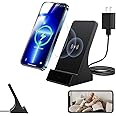
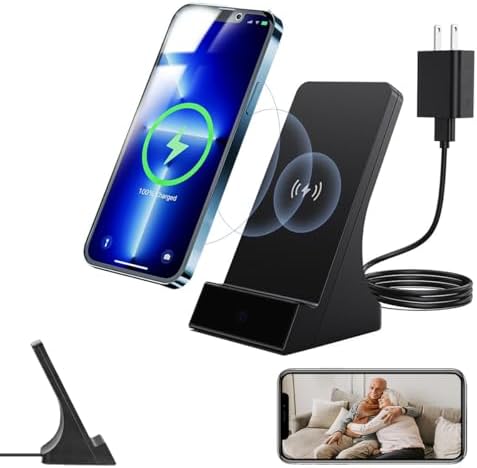
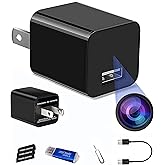
This item: Lizvie Phone Charger Camera,1080P HD Wireless Hidden Camera Motion Detection and Night Vision, SD Storage Loop - APP Remote Control and for Home/Office/Nanny Surveillance Security Indoor.
$149.99
Get it by Tuesday, Mar 17
Only 8 left in stock.
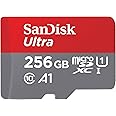
+
$101.15
Get it by Tuesday, Mar 17
In Stock
Total price:Ìý$00
To see our price, add these items to your cart.
Choose items to buy together.
Explore more from across the store
Page 1 of 1 Start again
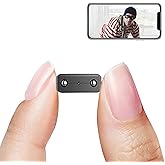
- Only 0.9 inch! Hidden Camera with Audio/Video. Mini Small Camera. Spy Hidden Cameras for Home Indoor Use. Baby Monitor. Spy Cam with Night Vision and Motion Detection Wireless Outdoor (1920p)FREE ShippingGet it May 1 - 5Usually ships within 4 to 5 weeks
- Smallest IP Camera WiFi, Rettru Mini Security Camera Wireless Video Camera Surveillance Camera Battery Powered with Night Vision,Motion Detection,Cloud Storage, V380 Pro Camera Wi-FiFREE Shipping by Â鶹ÇøGet it by Wednesday, Mar 18
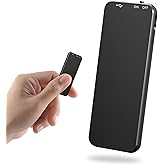
- Voice Recorder, 40 Hours Long Recording Time, Vivaniir USB-C Voice Activated Recorder for Meetings Classes Lectures Interviews (64GB)FREE Shipping by Â鶹ÇøGet it by Tuesday, Mar 17
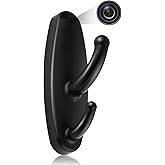
- Spy Camera Clothes Hook Mini Hidden Camera 1080P HD Surveillance Camera with Motion Detection Covert Nanny Camera for Baby/Pet, No WiFi Function Indoor Security CameraFREE Shipping by Â鶹ÇøGet it by Tuesday, Mar 17
Product information
Additional Information
| ASIN | B0F2J5XSJW |
|---|---|
| Customer Reviews |
5.0 out of 5 stars |
| Â鶹Çø Rank |
|
| Date First Available | March 26 2025 |
Feedback

Product Description


How to Use (Quick Setup Guide)
Step 1: Remove the Protective Film
Before use, gently peel off the protective film covering the lens to ensure a clear image.
Step 2: Power On the Device
Plug the device into a outlet and wait 30–60 seconds for it to boot up. The device will emit a wireless network signal named “BLink-XXXX.�
Step 3: Connect via Phone’s WiFi Settings
On your phone, open WiFi settings, find and connect to “BLink-XXXX�. Default password: 0123456789. “No Internet� message is normal — just ensure the connection is successful.
Step 4: Open the App
Launch the Lizvie Pro app. The device will appear automatically and take you to the viewing screen.
Step 5: Connect to Home WiFi
After about 10 seconds, a prompt will appear. Select your 2.4GHz home WiFi, enter the password, and complete the setup.
Important: Pairing with your home router is required for remote viewing functionality.(If no prompt appears, go to Settings > Network Information in the app.)
Step 6: Ready to Use
You can now access the device remotely, receive motion alerts, and manage settings via your phone.