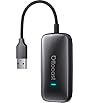
| Brand | Carlinkit |
|---|---|
| Manufacturer | CarlinKit |
| Scanner Resolution | 2K |
| Compatible Devices | for IOS 10+ and Android 11.0+ |
| Special features | Wireless Apple CarPlay&Android Auto |
| Batteries included | No |
| Batteries Required | No |
| Number of Ports | 2 |
| Connector Type | Wi-Fi |
| Manufacturer | CarlinKit |
| Parcel Dimensions | 17.81 x 15.29 x 2.79 cm; 117.93 g |
| ASIN | B0FWCC6RFT |

-
-
-
-
-
-
-
2 VIDEOS -
Image Unavailable
Colour:
-
-
-
- To view this video, download
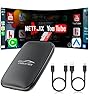
Carlinkit FireDrive Link Pro Car TV Mate, Convert Wired to Wireless Android Auto & CarPlay Adapter, Compatible with Wired CarPlay for Fire TV Stick Streaming, 5GHz WiFi/Plug & Play
Purchase options and add-ons
| Compatible devices | for IOS 10+ and Android 11.0+ |
| Specific uses for product | Car Audio & Video |
| Connector type | HDMI |
| Colour | Black |
| Brand | Carlinkit |
About this item
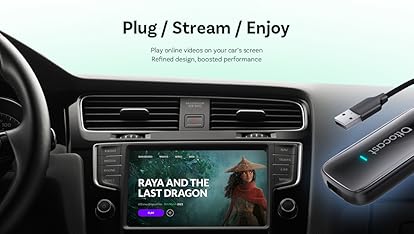
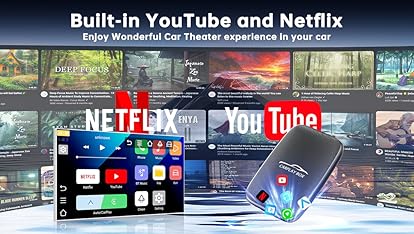
- 1. Elevate your in-car entertainment by connecting a compatible with Fire TV Stick to the CarlinKit FireDrive Link's HDMI port. Stream videos and games seamlessly to your vehicle's display and enjoy a vast library of content from Netflix, YouTube, and more
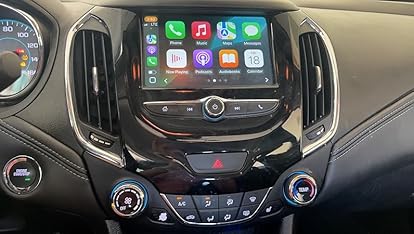
- 2. Designed specifically for Fire TV Stick, this adapter enables a smarter driving experience. It also supports Wireless CarPlay & Wireless Android Auto, offering broad compatibility for most smartphones(Running iOS 10+ and Android 11.0+)
- 3.Designed for Fire TV, this accepts HDMI input from various sources. It supports content in crisp 2K quality at a smooth 30Hz refresh rate, ensuring a responsive and immersive in-car theater
- 4.Easy to use Step 1: Connect the long end of the Y -shaped data cable of Carlinkit car TV HDMI adapter to your car power supply, and the shorter end is connected to your car's USB CarPlay port. Step 2: Connect the HDMI output device (such as a TV rod) to the adapter. Step 3: After the car is recognized, you can enter the product interface of the Fire TV Stick
- 5.Wireless Connection Steps:1.Turn on WiFi and Bluetooth on your Phone, 2.In the Phone Bluetooth list interface, connect the product Bluetooth name '' AutoKit-**** '' , 3.After the Phone passes the CarPlay/Android Auto related prompts, you can enter the wireless
- 6.Supported Vehicles and Customer Online Support:Please check if your car supports Wired CaPlay before using it, and our customer service staff can help you find a solution for compatibility issues
- Note: This device is not currently compatible with BMW, Tesla ect.
Product information
Technical Details
Additional Information
| Date First Available | Oct. 19 2025 |
|---|---|
| Customer Reviews |
4.7 out of 5 stars |
| 鶹 Rank |
Feedback
Videos for similar products
Product description
CarlinKit Newly Upgraded FireDrive Link Pro Car TV Mate This product upgrades your OEM CarPlay system with an HDMI adapter, supporting Wireless CarPlay and Wireless Android Auto connectivity. It enables HDMI signal input from your factory head unit, allowing quick and easy conversion of HDMI high-definition content from a TV stick to your factory screen via wired CarPlay Product Features: 1. Upgrades factory CarPlay to HDMI adapter functionality 2. Converts Wired CarPlay to Wireless CarPlay and Wireless Android Auto 3. Supports HDMI and other resource inputs from the TV sticks 4. Plug-and-Play operation, rapid connection, supports OTA updates for efficient troubleshooting WiFi Band: IEEE 802.11a/b/g/n, 5.0G Product Material: ABS+PC Compatible Vehicles: Models with factory-installed Wired CarPlay Compatible Phones: 1. i-Phone 6 and later models, compatible with iOS 10 and above 2. Android 11.0 and above phones