Shop gift cards for every stocking
To see product details, add this item to your cart. You can always remove it later.
Ships from
Ships from
Sold by
Returns
Returnable until 31 Jan 2026
For the 2025 holiday season, eligible items purchased between 1 November and 31 December 2025 can be returned until 31 January 2026.
Payment
Secure transaction
Your transaction is secure
We work hard to protect your security and privacy. Our payment security system encrypts your information during transmission. We don’t share your credit card details with third-party sellers, and we don’t sell your information to others. Learn more
Added to

Sorry, there was a problem.

There was an error retrieving your wish lists. Please try again.

Sorry, there was a problem.

List unavailable.
  • 4 VIDEOS
How to fix latency issuesCarlinke
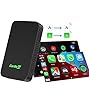
  • CarlinKit 5.0 Dongle - Wired to Wireless CarPlay & Android Auto Adapter,Online Update,2-Channel Connection, Plug & Plug, 10s Connect for Cars with OEM Wired CarPlay & Android Auto from 2015
  • To view this video, download

CarlinKit 5.0 Dongle - Wired to Wireless CarPlay & Android Auto Adapter,Online Update,2-Channel Connection, Plug & Plug, 10s Connect for Cars with OEM Wired CarPlay & Android Auto from 2015

3.8 out of 5 stars (902)

To see product details, add this item to your cart. You can always remove it later.
on any 2 qualifying items | Terms

Purchase options and add-ons

About this item

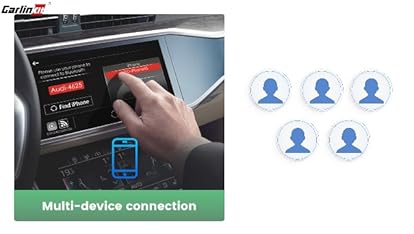
  • CarlinKit 5.0 brings you a breakthrough seamless connection experience! The newly upgraded wireless dual system can easily convert wired CarPlay to wireless CarPlay, and wired Android Auto to wireless Android Auto. You can switch Apple iPhone and Android phones in the car, Plug & Play, Automatic Connection.
  • Compatibility List: Carlinkit 5.0 Compatible Cars with factory wired CarPlay and factory wired Android Auto. Apple iPhone supports iOS 10 and above, iPhone 6 and newer models. Android phones support phones with Android 11.0 and above. Currently not compatible with BMW series model. Note: The product does not support wired Android Auto to Carply conversion, nor does it support wired Carplay to Android Auto conversion.
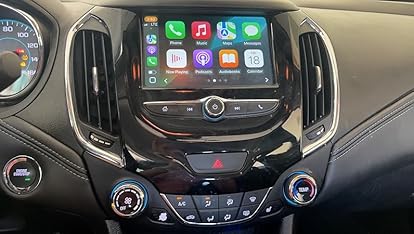
  • CarlinKit 5.0 with 5.8GHz transfer rate, faster data transfer and lower latency. Continuing and upgrading the operation of the original car's central control system, buttons and knobs. Use In-Dash Navigation flexibly / Wireless use In-Dash Navigation, you can flexibly choose to play music, get navigation or use phone calls, messages and other functions, bringing you an unparalleled driving experience.
  • CarlinKit 5.0 is easy to install - just pair your phone with its Bluetooth and WiFi signals, you can say goodbye to the limitations of traditional wired connections, enjoy wireless CarPlay and wireless Android auto, utilize voice assistants such as Hey Google and Hi Siri for a smarter and safer driving experience.
  • Professional Terminal Technical Services - CarlinKit products are designed and developed by our own R&D team, supporting OTA upgrades and uploading logs. We will give you a 1 year guarantee periody and technical service as a priority, if you have any questions, please send us a seller message. Trust us to help and keep you satisfied.
  • For Wireless CarPlay 1. CarlinKit 5.0 connects to the data port of the car through the original data cable, the red signal light is on 2. iPhone open WiFi, Bluetooth(There is no change in the car screen at this time - this is normal) 3. In the iPhone Bluetooth list, connect the box Bluetooth (Autokit_***) 4. After successful connection, the CarPlay icon on the car screen will light up, later the car screen will show the connection interface, then it will automatically enter the wireless CarPlay
  • For Android Auto 1. Wired connection to open the mobile phone Bluetooth 2. Wireless connection needs to ensure that the phone is turned on Bluetooth and wifi at the same time (to turn off the original car Bluetooth and Wifi and mobile phone Bluetooth and wifi is not occupied by other devices)

Additional details

Verified by Transparency
The brand applies a unique Transparency code to each item. We verify this code before shipping. You can verify this code using the 鶹 Shopping app to confirm that it comes from the brand and view additional product details.
Verified by Transparency
Each item has a unique code that we verify before shipping. Learn more

Product information

Technical Details

Brand ‎Carlinkit
Manufacturer ‎Carlinkit
Place of Business ‎carlinkit.com
Model ‎MINI SE Pro
Model year ‎2023
Part Number ‎CPC200-2air
OS ‎android, iOS
Compatible Devices ‎Android Phones, Samsung Galaxy, Samsung s24, iPhone 15 Pro Max, iPhone 16
Special features ‎Wireless CarPlay Adapter, Wireless use In-Dash Navigation
Mounting Hardware ‎USB-A/C to USB-C
Number of Items ‎1
Color Screen ‎No
Audio output mode ‎Wireless CarPlay Adapter
Batteries included ‎No
Batteries Required ‎No
Connector Type ‎Bluetooth, Wi-Fi
Human Interface Input ‎Touchscreen
Does it contain liquid? ‎No
Includes rechargable battery ‎No
Includes Remote ‎No
Manufacturer ‎Carlinkit
Item model number ‎MINI SE Pro
Product Dimensions ‎7.6 x 4.3 x 1.23 cm; 132 g
ASIN ‎B0CC9NMNNB

Additional Information

Date First Available July 20 2023
Customer Reviews
3.8 out of 5 stars (902)

3.8 out of 5 stars
鶹 Rank

Feedback

CarlinKit 5.0 Dongle - Wired to Wireless CarPlay & Android Auto Adapter,Online Update,2-Channel Connection, Plug & Plug, 10s Connect for Cars with OEM Wired CarPlay & Android Auto from 2015


Found a lower price? Let us know. Although we can't match every price reported, we'll use your feedback to ensure that our prices remain competitive.

Where did you see a lower price?

Price Availability
/
/
/
/
Please sign in to provide feedback.
Brief content visible, double tap to read full content.
Full content visible, double tap to read brief content.

Videos for similar products


From the brand


Product Description

Carlinkit 2air
For OEM Cars
Best choise
Step by Step
5.0 VS 4.0
  • If your car is wired Android auto or wired carplay, That's suitable.

  • 1. Search for the box WiFi (Autokit_**) on your mobile phone and enter the password 12345678.

    2. After successful connection, visit 192.168.50.2 in your own browser to enter the background.

    3. Click Help - Online Upgrade/Rollback.

  • 1. Search for the box WiFi (Autokit_**) on your phone and enter the password 12345678.

    2. After successful connection, visit 192.168.50.2 in your own browser to enter the background.

    3. Click Settings - Restore factory settings.

  • 1. Search for the box WiFi (Autokit_**) on your phone and enter the password 12345678.

    2. Visit 192.168.50.2 in your own browser to enter the background.

    3. Click on Help - Feedback - fill in the question and submit, send us the feedback code.