



| Brand | BrosTrend |
|---|---|
| Manufacturer | BrosTrend Technology LLC |
| Place of Business | support@BrosTrend.com |
| Model | AC1200 Outdoor WiFi Access Point |
| Model Name | AC1200 Outdoor Access Point |
| Part Number | AC1200 Outdoor WiFi Access Point |
| Ram Memory Installed Size | 64 MB |
| OS | Linux |
| Compatible Devices | Compatible with any WiFi devices, such as smartphones, TVs, tablets, computers, video doorbells, security cameras, smart bulbs, speakers, and much more. |
| Special features | Uplinked to your router via Ethernet and boost dual-band speeds up to 867 Mbps (5 GHz) + 300 Mbps (2.4 GHz); IP65 waterproof and dustproof, 6kV lightning protection, 8kV ESD protection; Powered via the included Passive PoE injector or a standard 802.3af/at/bt PoE Ethernet Switch (Not Included); 802.11ac wave 2.0, 2x2 streams |
| Mounting Hardware | 1 x AC1200 Long-Range Outdoor WiFi Access Point, 1 x Gigabit Passive PoE Injector, 2 x Detachable Waterproof Antennas, 2 x Waterproof Rubber Gaskets (Pre-attached to the extender), 1 x Detachable Wall-mounting Bracket (Pre-attached to the extender), 1 x Power Cord, 1 x Outdoor PoE Ethernet Cable, 2 x Cable Ties, 1 x Grounding Screw, 1 x Anti-theft Screw, 4 x Screws, 4 x Plastic Anchors, 1 x Quick Installation Guide |
| Number of Items | 1 |
| Voltage | 24 Volts |
| Batteries included | No |
| Batteries Required | No |
| Data transfer rate | 1200 Megabits Per Second |
| Wireless Standard | 802.11a, 802.11ac, 802.11b, 802.11g, 802.11n |
| Frequency | 5 GHz |
| Number of Ports | 1 |
| Connector Type | Wi-Fi |
| Manufacturer | BrosTrend Technology LLC |
| Item model number | AC1200 Outdoor WiFi Access Point |
| Product Dimensions | 8.3 x 8.3 x 38.7 cm; 272 g |
| ASIN | B0DRCR931C |

- 2 VIDEOS
Introducing BrosTrend AC1200 Outdoor WiFi Access PointBrosTrend
Image Unavailable
Image not available for
Colour:
Colour:
-

-
-
- To view this video, download
Additional details

Verified by Transparency
The brand applies a unique Transparency code to each item. We verify this code before shipping. You can verify this code using the Â鶹Çø Shopping app to confirm that it comes from the brand and view additional product details.
Verified by Transparency
Each item has a unique code that we verify before shipping.
Frequently bought together
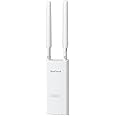
This item: BrosTrend AC1200 Outdoor Access Point Long Range, Dual Band 5GHz 867Mbps & 2.4GHz 300Mbps, IP65 Weatherproof Gigabit WiFi Access Point, PoE Powered, with Passive PoE Injector, AP for Yard, Garden, RV
$99.99
Get it by Monday, Jan 5
In Stock
+
$35.99
Get it by Monday, Jan 5
In Stock
Total price:Ìý$00
To see our price, add these items to your cart.
Choose items to buy together.
Product information
Additional Information
| Date First Available | Dec 24 2024 |
|---|---|
| Customer Reviews |
4.5 out of 5 stars |
| Â鶹Çø Rank |
|
Feedback

Videos for similar products









From the brand

-

Founded in 2011, BrosTrend dedicates itself to premium network products which deliver fast and reliable connections.
With more than 10 years of experience in the networking industry, BrosTrend never stops innovating and is ready to bring a smoother online experience for everyone.
-
AC1200 Outdoor Access Point
-
Top-selling Networking Product
-




Product Description


Quick Setup, Reliable Connection
-
Step 1
Connect to the Default Network of the Outdoor WiFi Access Point
Power the outdoor WiFi access point with the included PoE injector or a standard PoE switch, then connect to its default WiFi network (BrosTrend_EXT or BrosTrend_5GEXT) with your smartphone or laptop.

-
Step 2
Customize Your Outdoor Network
Open a web browser, log into the AP's web interface, select the Access Point Mode, and follow the on-screen instructions to customize your outdoor network.

-
Step 3
Connect the Access Point to the Internet and Relocate It
Power and connect the AP using either the included passive PoE injector (up to 164 ft) or an Internet-enabled standard PoE switch (up to 263 ft), both via Cat5e or higher Ethernet cables. Once online, relocate the unit outdoors and connect your devices to the WiFi network. IMPORTANT: For outdoor use, be sure to use PoE-compatible Ethernet cables that are waterproof, shielded, UV-resistant, and temperature-resistant to ensure safe and reliable performance.


